















































































































































































































AICPE India provides skill development courses, AICPE franchise opportunities, authorised training centre support, certificate verification, computer courses, vocational courses, accounting courses, digital marketing courses, typing courses, job-oriented courses and self-employment courses across India.

AICPE India offers skill development courses, AICPE franchise, authorised training centre registration, certificate verification, computer institute franchise, vocational training centre franchise and career-oriented courses across India.

DIPLOMA IN COMPUTER APPLICATION

AICPE skill-based course designed for practical learning, career development, job-readiness and self-employment opportunities.

Duration: 6 MONTHS Course Code: C1504 Skill Development Course AICPE Certification Support
DIPLOMA IN COMPUTER APPLICATION

Course Highlights

  • Practical skill-based learning
  • Useful for career growth
  • Suitable for students and job seekers
  • Helpful for self-employment awareness
  • Certificate verification support where records are available

Course Syllabus

Course Title: Diploma in Computer Application (Skill Development )

Course Duration:  6 Months

Course Objectives:

  1. To equip students with foundational computer skills for effective use in self-employment and career growth.
  2. To provide practical knowledge of computer applications and tools commonly used in business, education, and professional environments.
  3. To enable students to develop self-sustaining skills for freelancing, small business management, and office automation.
  4. To create awareness of internet usage, multimedia, and web technologies for diverse applications.

Course Overview:

  • Duration: 6 months
  • Mode: Part-time (3 sessions per week, 2 hours per session)
  • Target Group: Indian students aiming to acquire technical skills for self-employment and career advancement.
  • Customizability: Course content can be adapted based on learners' needs or regional demands.

Teaching Methodology:

  • Interactive Learning: Classroom instruction with real-world examples.
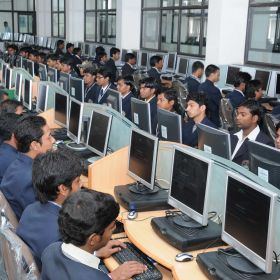
  • Hands-on Practice: Practical sessions in computer labs.
  • Assignments & Projects: Individual and group tasks to ensure concept clarity and application.
  • Case Studies: Real-life scenarios demonstrating the importance of computer applications in small businesses.
  • Assessments: Regular evaluations through quizzes, practical tests, and a final project.

Importance for Learners:

  • Career Growth: Prepares learners for entry-level positions in office administration, IT support, or data management.
  • Self-Employment: Empowers students to start freelance businesses in data entry, documentation, and basic IT services.
  • Skill Versatility: Opens up opportunities in diverse fields such as education, business, and digital marketing.

Course Content

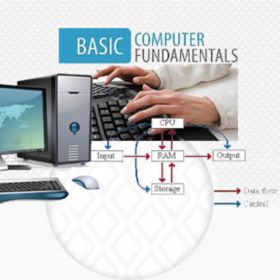
Module 1: Computer Fundamentals (2 Weeks)

  • Introduction to Computers
  • Understanding Hardware and Software
  • Input and Output Devices
  • Basics of Operating Systems
  • File Management

Module 2: MS-Windows (2 Weeks)

  • Navigating the Windows Interface
  • File and Folder Management
  • Control Panel and System Settings
  • Installing and Uninstalling Software

Module 3: MS-Office Suite (8 Weeks)

Word Processing (MS Word):

  • Document Creation and Formatting
  • Page Layout and Printing
  • Use of Templates, Tables, and Images
  • Mail Merge

Spreadsheet Management (MS Excel):

  • Basics of Spreadsheets
  • Formulas and Functions
  • Data Analysis with Charts and Pivot Tables
  • Automation with Macros

Presentations (MS PowerPoint):

  • Creating Effective Presentations
  • Adding Animations and Transitions
  • Presenting Data through Slides
  • Use of Multimedia in Presentations

Database Management (MS Access):

  • Introduction to Databases
  • Creating and Managing Tables
  • Designing Queries and Reports

Module 4: Internet and Email Concepts (3 Weeks)

  • Understanding the Internet and Browsers
  • Email Communication and Etiquette
  • Online Tools and Utilities
  • Cyber Security Basics

Module 5: Multimedia and HTML (4 Weeks)

  • Basics of Multimedia Tools (Image, Audio, and Video Editing)
  • Introduction to HTML and CSS
  • Designing Simple Web Pages
  • Hosting and Maintenance of Websites

Module 6: Hardware Concepts and General Utilities (3 Weeks)

  • Overview of Computer Hardware Components
  • Troubleshooting Common Hardware Issues
  • Backup and Data Recovery Techniques
  • Using General Utilities like PDF Converters, Compressors, etc.

Final Project and Assessment (4 Weeks)

  • Project Work: Develop a business-related project using MS-Office and HTML.
  • Presentation: Showcase your project and explain its applicability in self-employment or small business.
  • Assessment: Practical test and viva on course learnings.

Additional Features:

  • Workshops: Guest sessions from IT professionals and entrepreneurs.
  • Soft Skills Training: Basics of communication and professionalism.
  • Placement Assistance: Guidance on job applications and freelancing opportunities.

This syllabus ensures a comprehensive understanding of computer applications tailored to Indian students' needs, enhancing their employability and self-sustenance in the competitive market.


Course Title: Diploma in Computer Application (Skill Development )

Course Duration:  6 Months

Course Objectives:

  1. To equip students with foundational computer skills for effective use in self-employment and career growth.
  2. To provide practical knowledge of computer applications and tools commonly used in business, education, and professional environments.
  3. To enable students to develop self-sustaining skills for freelancing, small business management, and office automation.
  4. To create awareness of internet usage, multimedia, and web technologies for diverse applications.

Course Overview:

  • Duration: 6 months
  • Mode: Part-time (3 sessions per week, 2 hours per session)
  • Target Group: Indian students aiming to acquire technical skills for self-employment and career advancement.
  • Customizability: Course content can be adapted based on learners' needs or regional demands.

Teaching Methodology:

  • Interactive Learning: Classroom instruction with real-world examples.
  • Hands-on Practice: Practical sessions in computer labs.
  • Assignments & Projects: Individual and group tasks to ensure concept clarity and application.
  • Case Studies: Real-life scenarios demonstrating the importance of computer applications in small businesses.
  • Assessments: Regular evaluations through quizzes, practical tests, and a final project.

Importance for Learners:

  • Career Growth: Prepares learners for entry-level positions in office administration, IT support, or data management.
  • Self-Employment: Empowers students to start freelance businesses in data entry, documentation, and basic IT services.
  • Skill Versatility: Opens up opportunities in diverse fields such as education, business, and digital marketing.

Course Content

Module 1: Computer Fundamentals (2 Weeks)

  • Introduction to Computers
  • Understanding Hardware and Software
  • Input and Output Devices
  • Basics of Operating Systems
  • File Management

Module 2: MS-Windows (2 Weeks)

  • Navigating the Windows Interface
  • File and Folder Management
  • Control Panel and System Settings
  • Installing and Uninstalling Software

Module 3: MS-Office Suite (8 Weeks)

Word Processing (MS Word):

  • Document Creation and Formatting
  • Page Layout and Printing
  • Use of Templates, Tables, and Images
  • Mail Merge

Spreadsheet Management (MS Excel):

  • Basics of Spreadsheets
  • Formulas and Functions
  • Data Analysis with Charts and Pivot Tables
  • Automation with Macros

Presentations (MS PowerPoint):

  • Creating Effective Presentations
  • Adding Animations and Transitions
  • Presenting Data through Slides
  • Use of Multimedia in Presentations

Database Management (MS Access):

  • Introduction to Databases
  • Creating and Managing Tables
  • Designing Queries and Reports

Module 4: Internet and Email Concepts (3 Weeks)

  • Understanding the Internet and Browsers
  • Email Communication and Etiquette
  • Online Tools and Utilities
  • Cyber Security Basics

Module 5: Multimedia and HTML (4 Weeks)

  • Basics of Multimedia Tools (Image, Audio, and Video Editing)
  • Introduction to HTML and CSS
  • Designing Simple Web Pages
  • Hosting and Maintenance of Websites

Module 6: Hardware Concepts and General Utilities (3 Weeks)

  • Overview of Computer Hardware Components
  • Troubleshooting Common Hardware Issues
  • Backup and Data Recovery Techniques
  • Using General Utilities like PDF Converters, Compressors, etc.

Final Project and Assessment (4 Weeks)

  • Project Work: Develop a business-related project using MS-Office and HTML.
  • Presentation: Showcase your project and explain its applicability in self-employment or small business.
  • Assessment: Practical test and viva on course learnings.

Additional Features:

  • Workshops: Guest sessions from IT professionals and entrepreneurs.
  • Soft Skills Training: Basics of communication and professionalism.
  • Placement Assistance: Guidance on job applications and freelancing opportunities.

This syllabus ensures a comprehensive understanding of computer applications tailored to Indian students' needs, enhancing their employability and self-sustenance in the competitive market.


Read Full Syllabus

Eligibility

Below SSC


Important: AICPE is an autonomous private skill development and certification organisation. Acceptance or eligibility may vary depending on employer, institution, department or purpose.

AICPE Courses Grid

Browse AICPE skill development courses in an attractive grid format. Explore practical certificate courses for students, job seekers, women learners, working professionals and self-employment aspirants.

Job-Oriented | Practical | Skill-Based Courses

CERTIFICATE IN AUTOCAD

Duration: 2 MONTHS
Code: C1197

CERTIFICATE IN JAVA - CORE

Duration: 3 MONTHS
Code: C1180

CERTIFICATE IN CATIA V5

Duration: 1.5 MONTHS
Code: C1199

CERTIFICATE IN PHOTOSHOP

Duration: 2 MONTHS
Code: C1198

CERTIFICATE IN CAD

Duration: 3 MONTHS
Code: C1190

CERTIFICATE IN C++

Duration: 2 MONTHS
Code: C1012

DIPLOMA IN WEB DESIGNING

Duration: 9 MONTHS
Code: C1287

CERTIFICATE IN 3D S MAX

Duration: 3 MONTHS
Code: C1250

CERTIFICATE IN ROBOTICS

Duration: 3 MONTHS
Code: C1156

CERTIFICATE IN STATISTICS

Duration: 3 MONTHS
Code: C1160

CERTIFICATE IN HTML5

Duration: 1 MONTH
Code: C1273

CERTIFICATE IN BOOTSTRAP

Duration: 1 MONTH
Code: C1277

CERTIFICATE IN WIREMAN

Duration: 6 MONTHS
Code: C1242

DIPLOMA IN YOGA

Duration: 1 YEAR
Code: C1248

CERTIFICATE IN HTML

Duration: 3 MONTHS
Code: C1256

DIPLOMA IN ELECTRICIAN

Duration: 1 YEAR
Code: C1265

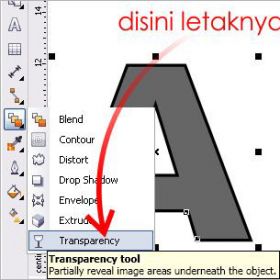
CERTIFICATE IN COREL DRAW

Duration: 2 MONTHS
Code: C1269

CERTIFICATE IN STAAD.PRO

Duration: 1 MONTH
Code: C1289

DIPLOMA IN PLUMBING

Duration: 1 YEAR
Code: C1290

DIPLOMA IN CYBER LAW

Duration: 6 MONTHS
Code: C1330

DIPLOMA IN TAILORING

Duration: 6 MONTHS
Code: C1305

CERTIFICATE IN SOLIDWORKS

Duration: 2 MONTHS
Code: C1307

CERTIFICATE IN ANGULAR

Duration: 2 MONTHS
Code: C1309

CERTIFICATE IN CARPENTER

Duration: 2 MONTHS
Code: C1329

CERTIFICATE IN CREO

Duration: 3 MONTHS
Code: C1312

CERTIFICATE IN PRO-E

Duration: 3 MONTHS
Code: C1313

DIPLOMA IN CARPENTER

Duration: 1 YEAR
Code: C1318

CERTIFICATE IN PYTHON

Duration: 2 MONTHS
Code: C1326

DIPLOMA IN GRAPHIC DESIGN

Duration: 6 MONTHS
Code: C1327

CERTIFICATE IN ETABS

Duration: 45 DAYS
Code: C1341

DIPLOMA IN STENOGRAPHY

Duration: 1 YEAR
Code: C1333

CERTIFICATE IN MS OFFICE

Duration: 2 MONTHS
Code: C1343

CERTIFICATE IN PRIMAVERA

Duration: 2 MONTHS
Code: C1359

CERTIFICATE IN C++

Duration: 20 DAYS
Code: C1366

CERTIFICATE IN AUTOCAD

Duration: 20 DAYS
Code: C1369

CERTIFICATE IN TAILORING

Duration: 1 MONTH
Code: C1378

CERTIFICATE IN SMART TALLY

Duration: 3 MONTHS
Code: C1386

CERTIFICATE IN SQL

Duration: 2 MONTHS
Code: C1379

CERTIFICATE IN AUTOCAD

Duration: 45 DAYS
Code: C1392

CERTIFICATE IN MS OFFICE

Duration: 3 MONTHS
Code: C1399

CERTIFICATE IN PLUMBER

Duration: 1 MONTH
Code: C1383

CERTIFICATE IN SKETCHUP

Duration: 3 MONTHS
Code: C1390

DIPLOMA IN TAILORING

Duration: 1 YEAR
Code: C1389

CERTIFICATE IN TALLY PRIME

Duration: 6 MONTHS
Code: C1409

CERTIFICATE IN SAP FINANCE

Duration: 5 MONTHS
Code: C1438

CERTIFICATE IN C AND C++

Duration: 3 MONTHS
Code: C1453

CERTIFICATE IN LUMION

Duration: 1 MONTH
Code: C1456

DIPLOMA IN YOGA

Duration: 6 MONTHS
Code: C1457

DIPLOMA IN DATA ANALYST

Duration: 1 YEAR
Code: C1481

CERTIFICATE IN CHATGPT

Duration: 1 MONTH
Code: C1465

CERTIFICATE IN V-RAY

Duration: 2 MONTHS
Code: C1466

CERTIFICATE IN PHP

Duration: 2 MONTHS
Code: C1467

CERTIFICATE IN MY SQL

Duration: 3 MONTHS
Code: C1498

DIPLOMA IN UI/UX DESIGN

Duration: 6 MONTHS
Code: C1491

CERTIFICATE IN 2D AUTOCAD

Duration: 2 MONTHS
Code: C1492

CERTIFICATE IN 3D AUTOCAD

Duration: 2 MONTHS
Code: C1493

CERTIFICATE IN MS OFFICE

Duration: 40 HOURS
Code: C1494

ADVANCE DIPLOMA IN PYTHON

Duration: 8 MONTHS
Code: C1501

CERTIFICATE IN C AND C++

Duration: 3 MONTHS
Code: C1505

Explore AICPE Skill Development Courses

AICPE offers practical skill development courses through authorised training centres across India. Students can explore job-oriented courses, self-employment courses, computer courses, accounting courses, digital marketing courses, typing courses, vocational courses and soft skills programs.

For Students

Learn practical skills after 10th, after 12th or during college to improve confidence and career direction.

For Job Seekers

Build office, accounts, digital, typing, computer and communication skills for better job-readiness.

For Institutes

Institutes can become AICPE authorised training centres and offer skill-based courses locally.


AICPE Growth Opportunity

Start, Grow and Strengthen Your Training Institute

Join AICPE as an Authorised Training Centre and offer practical skill development courses, certificate programs and self-employment focused learning opportunities in your local area.

For Institutes

Become an AICPE Authorised Training Centre and offer practical skill courses in your local market.

For Students

Learn job-oriented, vocational, computer, accounting, digital and self-employment skills through AICPE centres.

For Local Growth

AICPE supports skill education opportunities for cities, towns, taluka places and developing education markets.

AICPE franchise benefits include authorised training centre opportunity, skill development course franchise, computer institute franchise, vocational training centre franchise, job oriented courses, certificate verification, self employment courses, low investment education franchise and practical certificate courses for institutes across India.

Back to top