AICPE India provides skill development courses, AICPE franchise opportunities, authorised training centre support, certificate verification, computer courses, vocational courses, accounting courses, digital marketing courses, typing courses, job-oriented courses and self-employment courses across India.

AICPE India offers skill development courses, AICPE franchise, authorised training centre registration, certificate verification, computer institute franchise, vocational training centre franchise and career-oriented courses across India.

DIPLOMA IN APPLICATION SOFTWARE

AICPE skill-based course designed for practical learning, career development, job-readiness and self-employment opportunities.

Duration: 6 MONTHS Course Code: C1497 Skill Development Course AICPE Certification Support
DIPLOMA IN APPLICATION SOFTWARE

Course Highlights

  • Practical skill-based learning
  • Useful for career growth
  • Suitable for students and job seekers
  • Helpful for self-employment awareness
  • Certificate verification support where records are available

Course Syllabus

Course Title: Diploma in Application Software (Skill Development )

Course Duration:  6 Months

Course Objectives:
  1. Equip students with proficiency in essential application software used in businesses and creative industries.
  2. Enable learners to acquire skills for self-employment, freelancing, or enhancing career opportunities in office administration, accounting, and graphic design.
  3. Provide hands-on training in industry-standard software for creating documents, managing financial data, and designing digital content.
  4. Empower students to gain confidence in managing software independently, allowing for more career flexibility and self-sustained employment.

Course Overview:

This 6-month, part-time course is designed for Indian students seeking practical skills that directly translate to employment or entrepreneurship. Covering software such as MS Office, Tally Prime, GST, and design tools like Photoshop, CorelDRAW, Illustrator, and InDesign, the course offers both technical knowledge and applied experience. This curriculum provides a pathway to gain proficiency in essential business and design applications, supporting students’ goals for self-employment and freelance work.

Teaching Methodology:

  • Interactive Lectures: Conceptual knowledge with demonstrations for each software tool.
  • Hands-On Training: Practical sessions in labs to solidify students' skills.
  • Project-Based Learning: Real-world projects to simulate professional tasks, building confidence for self-employment scenarios.
  • Assessments: Weekly and monthly evaluations through quizzes, assignments, and software tasks.
  • Flexibility in Curriculum: Tailoring certain modules to meet local demands or specific learner requirements.

Career and Self-Employment Benefits:

  1. Career Advancement: Students can apply for roles like Office Assistant, Accounts Executive, Graphic Designer, and more.
  2. Freelancing Opportunities: Skills in software like Photoshop and Illustrator open doors to freelancing in graphic design, print media, and marketing.
  3. Self-Employment: Knowledge in MS Office, Tally, and GST provides the ability to manage a small business or consultancy independently.
  4. Industry Demand: High demand for professionals with skills in office administration, digital accounting, and graphic design across various sectors.

Syllabus Outline

Module 1: MS Office (1 Month)

  • MS Word: Document formatting, templates, tables, graphics, mail merge, creating reports.
  • MS Excel: Data entry, formatting, formulas, data analysis, pivot tables, charts, and financial functions.
  • MS PowerPoint: Slide creation, formatting, animations, multimedia integration, and presentation skills.
  • MS Outlook: Email management, calendar organization, task scheduling.
  • Practical Assignment: Create a business proposal document, an Excel-based budget, and a presentation.

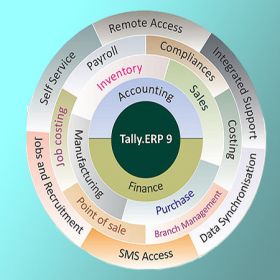
Module 2: Tally Prime with GST (1 Month)

  • Introduction to Tally Prime: Interface, features, and navigation.
  • Accounting Basics: Ledger creation, vouchers, journal entries, trial balance.
  • Inventory Management: Stock groups, categories, units, godowns, and inventory tracking.
  • GST in Tally: GST configuration, input tax credit, GST returns, GST adjustments.
  • Reports and Analysis: Profit & Loss, balance sheet, cash flow, and inventory summary.
  • Practical Assignment: Setup a sample company in Tally with GST and generate monthly reports.

Module 3: Photoshop (1 Month)

  • Introduction to Photoshop: Interface, tools, layers, and workspace customization.
  • Image Editing Basics: Cropping, resizing, adjusting colors, brightness, contrast.
  • Advanced Editing: Using layers and masks, blending modes, and retouching.
  • Text and Typography: Adding and formatting text, applying effects.
  • Design Elements: Creating banners, social media graphics, and marketing materials.
  • Practical Assignment: Design a logo, social media post, and photo collage.

Module 4: CorelDRAW (1 Month)

  • Interface and Tools: Navigating CorelDRAW and understanding vector graphics.
  • Drawing Shapes and Objects: Creating basic shapes, complex objects, and grouping elements.
  • Vector Illustration: Using bezier tools, shapes, nodes, and color fills.
  • Text and Layouts: Working with typography, layout creation for posters, and brochures.
  • Design Techniques: Advanced tools for logo design, packaging, and print-ready designs.
  • Practical Assignment: Design a business card, flyer, and product packaging template.

Module 5: Adobe Illustrator (1 Month)

  • Introduction to Illustrator: Interface, tools, and setting up documents.
  • Vector Graphics: Pen tool, shapes, and the use of paths.
  • Illustration Techniques: Creating icons, symbols, and vector-based illustrations.
  • Typography and Text Effects: Custom typography, effects, and creating text outlines.
  • Graphic Layouts: Posters, infographics, and basic branding.
  • Practical Assignment: Create an infographic, brand logo, and custom typography art.

Module 6: Adobe InDesign (1 Month)

  • InDesign Basics: Interface, tools, setting up pages, and workspace organization.
  • Layout and Design: Creating multi-page documents, grid systems, and styles.
  • Text and Typography: Text frames, paragraph and character styles, advanced formatting.
  • Image Integration: Working with images, links, and image effects.
  • Project Preparation for Print: Bleeds, crop marks, export settings for print-ready files.
  • Practical Assignment: Design a multi-page brochure or magazine layout.

Customizations Based on Learner/Location Requirements

The curriculum can be adapted to focus on specific software or skill areas according to the local industry demand or individual career goals. For instance, if learners are located in regions with high demand for bookkeeping and accounting, Tally and GST modules can be expanded further. Alternatively, more time on graphic design tools can be allocated for regions with demand in print and media.



Course Title: Diploma in Application Software (Skill Development )

Course Duration:  6 Months

Course Objectives:
  1. Equip students with proficiency in essential application software used in businesses and creative industries.
  2. Enable learners to acquire skills for self-employment, freelancing, or enhancing career opportunities in office administration, accounting, and graphic design.
  3. Provide hands-on training in industry-standard software for creating documents, managing financial data, and designing digital content.
  4. Empower students to gain confidence in managing software independently, allowing for more career flexibility and self-sustained employment.

Course Overview:

This 6-month, part-time course is designed for Indian students seeking practical skills that directly translate to employment or entrepreneurship. Covering software such as MS Office, Tally Prime, GST, and design tools like Photoshop, CorelDRAW, Illustrator, and InDesign, the course offers both technical knowledge and applied experience. This curriculum provides a pathway to gain proficiency in essential business and design applications, supporting students’ goals for self-employment and freelance work.

Teaching Methodology:

  • Interactive Lectures: Conceptual knowledge with demonstrations for each software tool.
  • Hands-On Training: Practical sessions in labs to solidify students' skills.
  • Project-Based Learning: Real-world projects to simulate professional tasks, building confidence for self-employment scenarios.
  • Assessments: Weekly and monthly evaluations through quizzes, assignments, and software tasks.
  • Flexibility in Curriculum: Tailoring certain modules to meet local demands or specific learner requirements.

Career and Self-Employment Benefits:

  1. Career Advancement: Students can apply for roles like Office Assistant, Accounts Executive, Graphic Designer, and more.
  2. Freelancing Opportunities: Skills in software like Photoshop and Illustrator open doors to freelancing in graphic design, print media, and marketing.
  3. Self-Employment: Knowledge in MS Office, Tally, and GST provides the ability to manage a small business or consultancy independently.
  4. Industry Demand: High demand for professionals with skills in office administration, digital accounting, and graphic design across various sectors.

Syllabus Outline

Module 1: MS Office (1 Month)

  • MS Word: Document formatting, templates, tables, graphics, mail merge, creating reports.
  • MS Excel: Data entry, formatting, formulas, data analysis, pivot tables, charts, and financial functions.
  • MS PowerPoint: Slide creation, formatting, animations, multimedia integration, and presentation skills.
  • MS Outlook: Email management, calendar organization, task scheduling.
  • Practical Assignment: Create a business proposal document, an Excel-based budget, and a presentation.

Module 2: Tally Prime with GST (1 Month)

  • Introduction to Tally Prime: Interface, features, and navigation.
  • Accounting Basics: Ledger creation, vouchers, journal entries, trial balance.
  • Inventory Management: Stock groups, categories, units, godowns, and inventory tracking.
  • GST in Tally: GST configuration, input tax credit, GST returns, GST adjustments.
  • Reports and Analysis: Profit & Loss, balance sheet, cash flow, and inventory summary.
  • Practical Assignment: Setup a sample company in Tally with GST and generate monthly reports.

Module 3: Photoshop (1 Month)

  • Introduction to Photoshop: Interface, tools, layers, and workspace customization.
  • Image Editing Basics: Cropping, resizing, adjusting colors, brightness, contrast.
  • Advanced Editing: Using layers and masks, blending modes, and retouching.
  • Text and Typography: Adding and formatting text, applying effects.
  • Design Elements: Creating banners, social media graphics, and marketing materials.
  • Practical Assignment: Design a logo, social media post, and photo collage.

Module 4: CorelDRAW (1 Month)

  • Interface and Tools: Navigating CorelDRAW and understanding vector graphics.
  • Drawing Shapes and Objects: Creating basic shapes, complex objects, and grouping elements.
  • Vector Illustration: Using bezier tools, shapes, nodes, and color fills.
  • Text and Layouts: Working with typography, layout creation for posters, and brochures.
  • Design Techniques: Advanced tools for logo design, packaging, and print-ready designs.
  • Practical Assignment: Design a business card, flyer, and product packaging template.

Module 5: Adobe Illustrator (1 Month)

  • Introduction to Illustrator: Interface, tools, and setting up documents.
  • Vector Graphics: Pen tool, shapes, and the use of paths.
  • Illustration Techniques: Creating icons, symbols, and vector-based illustrations.
  • Typography and Text Effects: Custom typography, effects, and creating text outlines.
  • Graphic Layouts: Posters, infographics, and basic branding.
  • Practical Assignment: Create an infographic, brand logo, and custom typography art.

Module 6: Adobe InDesign (1 Month)

  • InDesign Basics: Interface, tools, setting up pages, and workspace organization.
  • Layout and Design: Creating multi-page documents, grid systems, and styles.
  • Text and Typography: Text frames, paragraph and character styles, advanced formatting.
  • Image Integration: Working with images, links, and image effects.
  • Project Preparation for Print: Bleeds, crop marks, export settings for print-ready files.
  • Practical Assignment: Design a multi-page brochure or magazine layout.

Customizations Based on Learner/Location Requirements

The curriculum can be adapted to focus on specific software or skill areas according to the local industry demand or individual career goals. For instance, if learners are located in regions with high demand for bookkeeping and accounting, Tally and GST modules can be expanded further. Alternatively, more time on graphic design tools can be allocated for regions with demand in print and media.


Read Full Syllabus

Eligibility

Below SSC


Important: AICPE is an autonomous private skill development and certification organisation. Acceptance or eligibility may vary depending on employer, institution, department or purpose.

AICPE Courses Grid

Browse AICPE skill development courses in an attractive grid format. Explore practical certificate courses for students, job seekers, women learners, working professionals and self-employment aspirants.

Job-Oriented | Practical | Skill-Based Courses

CERTIFICATE IN AUTOCAD

Duration: 2 MONTHS
Code: C1197

CERTIFICATE IN JAVA - CORE

Duration: 3 MONTHS
Code: C1180

CERTIFICATE IN CATIA V5

Duration: 1.5 MONTHS
Code: C1199

CERTIFICATE IN PHOTOSHOP

Duration: 2 MONTHS
Code: C1198

CERTIFICATE IN CAD

Duration: 3 MONTHS
Code: C1190

CERTIFICATE IN C++

Duration: 2 MONTHS
Code: C1012

DIPLOMA IN WEB DESIGNING

Duration: 9 MONTHS
Code: C1287

CERTIFICATE IN 3D S MAX

Duration: 3 MONTHS
Code: C1250

CERTIFICATE IN ROBOTICS

Duration: 3 MONTHS
Code: C1156

CERTIFICATE IN STATISTICS

Duration: 3 MONTHS
Code: C1160

CERTIFICATE IN HTML5

Duration: 1 MONTH
Code: C1273

CERTIFICATE IN BOOTSTRAP

Duration: 1 MONTH
Code: C1277

CERTIFICATE IN WIREMAN

Duration: 6 MONTHS
Code: C1242

DIPLOMA IN YOGA

Duration: 1 YEAR
Code: C1248

CERTIFICATE IN HTML

Duration: 3 MONTHS
Code: C1256

DIPLOMA IN ELECTRICIAN

Duration: 1 YEAR
Code: C1265

CERTIFICATE IN COREL DRAW

Duration: 2 MONTHS
Code: C1269

CERTIFICATE IN STAAD.PRO

Duration: 1 MONTH
Code: C1289

DIPLOMA IN PLUMBING

Duration: 1 YEAR
Code: C1290

DIPLOMA IN CYBER LAW

Duration: 6 MONTHS
Code: C1330

DIPLOMA IN TAILORING

Duration: 6 MONTHS
Code: C1305

CERTIFICATE IN SOLIDWORKS

Duration: 2 MONTHS
Code: C1307

CERTIFICATE IN ANGULAR

Duration: 2 MONTHS
Code: C1309

CERTIFICATE IN CARPENTER

Duration: 2 MONTHS
Code: C1329

CERTIFICATE IN CREO

Duration: 3 MONTHS
Code: C1312

CERTIFICATE IN PRO-E

Duration: 3 MONTHS
Code: C1313

DIPLOMA IN CARPENTER

Duration: 1 YEAR
Code: C1318

CERTIFICATE IN PYTHON

Duration: 2 MONTHS
Code: C1326

DIPLOMA IN GRAPHIC DESIGN

Duration: 6 MONTHS
Code: C1327

CERTIFICATE IN ETABS

Duration: 45 DAYS
Code: C1341

DIPLOMA IN STENOGRAPHY

Duration: 1 YEAR
Code: C1333

CERTIFICATE IN MS OFFICE

Duration: 2 MONTHS
Code: C1343

CERTIFICATE IN PRIMAVERA

Duration: 2 MONTHS
Code: C1359

CERTIFICATE IN C++

Duration: 20 DAYS
Code: C1366

CERTIFICATE IN AUTOCAD

Duration: 20 DAYS
Code: C1369

CERTIFICATE IN TAILORING

Duration: 1 MONTH
Code: C1378

CERTIFICATE IN SMART TALLY

Duration: 3 MONTHS
Code: C1386

CERTIFICATE IN SQL

Duration: 2 MONTHS
Code: C1379

CERTIFICATE IN AUTOCAD

Duration: 45 DAYS
Code: C1392

CERTIFICATE IN MS OFFICE

Duration: 3 MONTHS
Code: C1399

CERTIFICATE IN PLUMBER

Duration: 1 MONTH
Code: C1383

CERTIFICATE IN SKETCHUP

Duration: 3 MONTHS
Code: C1390

DIPLOMA IN TAILORING

Duration: 1 YEAR
Code: C1389

CERTIFICATE IN TALLY PRIME

Duration: 6 MONTHS
Code: C1409

CERTIFICATE IN SAP FINANCE

Duration: 5 MONTHS
Code: C1438

CERTIFICATE IN C AND C++

Duration: 3 MONTHS
Code: C1453

CERTIFICATE IN LUMION

Duration: 1 MONTH
Code: C1456

DIPLOMA IN YOGA

Duration: 6 MONTHS
Code: C1457

DIPLOMA IN DATA ANALYST

Duration: 1 YEAR
Code: C1481

CERTIFICATE IN CHATGPT

Duration: 1 MONTH
Code: C1465

CERTIFICATE IN V-RAY

Duration: 2 MONTHS
Code: C1466

CERTIFICATE IN PHP

Duration: 2 MONTHS
Code: C1467

CERTIFICATE IN MY SQL

Duration: 3 MONTHS
Code: C1498

DIPLOMA IN UI/UX DESIGN

Duration: 6 MONTHS
Code: C1491

CERTIFICATE IN 2D AUTOCAD

Duration: 2 MONTHS
Code: C1492

CERTIFICATE IN 3D AUTOCAD

Duration: 2 MONTHS
Code: C1493

CERTIFICATE IN MS OFFICE

Duration: 40 HOURS
Code: C1494

ADVANCE DIPLOMA IN PYTHON

Duration: 8 MONTHS
Code: C1501

CERTIFICATE IN C AND C++

Duration: 3 MONTHS
Code: C1505

Explore AICPE Skill Development Courses

AICPE offers practical skill development courses through authorised training centres across India. Students can explore job-oriented courses, self-employment courses, computer courses, accounting courses, digital marketing courses, typing courses, vocational courses and soft skills programs.

For Students

Learn practical skills after 10th, after 12th or during college to improve confidence and career direction.

For Job Seekers

Build office, accounts, digital, typing, computer and communication skills for better job-readiness.

For Institutes

Institutes can become AICPE authorised training centres and offer skill-based courses locally.


AICPE Growth Opportunity

Start, Grow and Strengthen Your Training Institute

Join AICPE as an Authorised Training Centre and offer practical skill development courses, certificate programs and self-employment focused learning opportunities in your local area.

For Institutes

Become an AICPE Authorised Training Centre and offer practical skill courses in your local market.

For Students

Learn job-oriented, vocational, computer, accounting, digital and self-employment skills through AICPE centres.

For Local Growth

AICPE supports skill education opportunities for cities, towns, taluka places and developing education markets.

AICPE franchise benefits include authorised training centre opportunity, skill development course franchise, computer institute franchise, vocational training centre franchise, job oriented courses, certificate verification, self employment courses, low investment education franchise and practical certificate courses for institutes across India.

Back to top