Course Title: ADOBE ILLUSTRATOR (Skill Development)
Course Duration: 2 Months (Part-Time)
Course Overview:
The Adobe Illustrator course is a condensed 2-month skill development program tailored for Indian students. It focuses on imparting practical knowledge and hands-on experience in Adobe Illustrator, a leading graphic design software. This part-time course is designed to equip students with essential graphic design skills, preparing them for self-employment or career growth in the creative industry. The course content can be customized to meet specific learner requirements or location-based needs.
Course Objectives:
Upon completion of this 2-month course, students will be able to:
- Master the fundamentals of graphic design and computer graphics theory.
- Navigate and effectively use the Adobe Illustrator interface.
- Create illustrations and artwork using various drawing and painting techniques.
- Develop proficiency in creating objects, graphs, and symbols.
- Understand color theory, gradients, and mesh in graphic design.
- Organize and manage objects efficiently within Illustrator.
- Utilize creative strokes, fills, and patterns in design projects.
- Create three-dimensional effects in Illustrator.
- Apply transformations and distortions to design elements.
- Customize and automate Illustrator for efficient workflow.
- Understand the PostScript language and prepare designs for printing.
- Create graphics for web applications.
Course Teaching Methodology:
- Lectures: Theoretical understanding of graphic design principles and Illustrator features.
- Hands-On Practical Sessions: Extensive training using Adobe Illustrator for real-world projects.
- Interactive Workshops: Workshops to apply design concepts in practical scenarios.
- Assignments: Regular assignments to reinforce learning.
Importance for Learners in Career Growth and Self-Employment:
- Graphic design skills are in high demand in India's creative industry, offering excellent career prospects.
- The course equips students with the skills to work as freelance graphic designers or start their graphic design businesses.
- Practical skills and hands-on experience gained during the course will give students a competitive edge in the job market.
Course Contents:
Module 1: Theory of Computer Graphics
- Understanding Graphic Design Fundamentals
- Introduction to Adobe Illustrator
Module 2: Working with Illustrator's Interface
- Navigating the Illustrator Workspace
- Using Tools and Panels
Module 3: Understanding Drawing and Painting Techniques
- Drawing Shapes and Lines
- Applying Painting Techniques
Module 4: Creating Objects, Graphs, and Symbols
- Creating and Editing Objects
- Working with Graphs and Symbols
Module 5: Understanding Color, Gradients, and Mesh
- Exploring Color Theory
- Applying Gradients and Mesh
Module 6: Using Illustrator to Organize Objects
- Organizing and Managing Design Elements
- Layers and Groups in Illustrator
Module 7: Using Creative Strokes and Fills with Patterns
- Applying Strokes and Fills Creatively
- Working with Patterns
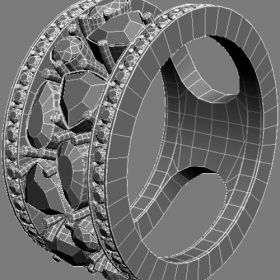
Module 8: Creating 3-D in Illustrator
- Creating Three-Dimensional Effects
- Using the 3D Extrude & Bevel Tool
Module 9: Applying Transformations and Distortions
- Transforming Objects
- Distorting and Warping Design Elements
Module 10: Customizing and Automating Illustrator
- Customizing Preferences and Workspaces
- Automating Tasks in Illustrator
Module 11: Understanding PostScript and Printing
- Introduction to PostScript Language
- Preparing Designs for Printing
Module 12: Creating Web Graphics
- Creating Graphics for Web Applications
- Exporting for Web
By successfully completing this 2-month Adobe Illustrator course, students will gain practical skills and knowledge to excel in the graphic design industry, explore self-employment opportunities as freelance designers, or start their graphic design businesses. The course content can be adapted to meet specific learner needs or location-specific demands, ensuring maximum relevance and effectiveness.
Course Title: ADOBE ILLUSTRATOR (Skill Development)
Course Duration: 2 Months (Part-Time)
Course Overview:
The Adobe Illustrator course is a condensed 2-month skill development program tailored for Indian students. It focuses on imparting practical knowledge and hands-on experience in Adobe Illustrator, a leading graphic design software. This part-time course is designed to equip students with essential graphic design skills, preparing them for self-employment or career growth in the creative industry. The course content can be customized to meet specific learner requirements or location-based needs.
Course Objectives:
Upon completion of this 2-month course, students will be able to:
- Master the fundamentals of graphic design and computer graphics theory.
- Navigate and effectively use the Adobe Illustrator interface.
- Create illustrations and artwork using various drawing and painting techniques.
- Develop proficiency in creating objects, graphs, and symbols.
- Understand color theory, gradients, and mesh in graphic design.
- Organize and manage objects efficiently within Illustrator.
- Utilize creative strokes, fills, and patterns in design projects.
- Create three-dimensional effects in Illustrator.
- Apply transformations and distortions to design elements.
- Customize and automate Illustrator for efficient workflow.
- Understand the PostScript language and prepare designs for printing.
- Create graphics for web applications.
Course Teaching Methodology:
- Lectures: Theoretical understanding of graphic design principles and Illustrator features.
- Hands-On Practical Sessions: Extensive training using Adobe Illustrator for real-world projects.
- Interactive Workshops: Workshops to apply design concepts in practical scenarios.
- Assignments: Regular assignments to reinforce learning.
Importance for Learners in Career Growth and Self-Employment:
- Graphic design skills are in high demand in India's creative industry, offering excellent career prospects.
- The course equips students with the skills to work as freelance graphic designers or start their graphic design businesses.
- Practical skills and hands-on experience gained during the course will give students a competitive edge in the job market.
Course Contents:
Module 1: Theory of Computer Graphics
- Understanding Graphic Design Fundamentals
- Introduction to Adobe Illustrator
Module 2: Working with Illustrator's Interface
- Navigating the Illustrator Workspace
- Using Tools and Panels
Module 3: Understanding Drawing and Painting Techniques
- Drawing Shapes and Lines
- Applying Painting Techniques
Module 4: Creating Objects, Graphs, and Symbols
- Creating and Editing Objects
- Working with Graphs and Symbols
Module 5: Understanding Color, Gradients, and Mesh
- Exploring Color Theory
- Applying Gradients and Mesh
Module 6: Using Illustrator to Organize Objects
- Organizing and Managing Design Elements
- Layers and Groups in Illustrator
Module 7: Using Creative Strokes and Fills with Patterns
- Applying Strokes and Fills Creatively
- Working with Patterns
Module 8: Creating 3-D in Illustrator
- Creating Three-Dimensional Effects
- Using the 3D Extrude & Bevel Tool
Module 9: Applying Transformations and Distortions
- Transforming Objects
- Distorting and Warping Design Elements
Module 10: Customizing and Automating Illustrator
- Customizing Preferences and Workspaces
- Automating Tasks in Illustrator
Module 11: Understanding PostScript and Printing
- Introduction to PostScript Language
- Preparing Designs for Printing
Module 12: Creating Web Graphics
- Creating Graphics for Web Applications
- Exporting for Web
By successfully completing this 2-month Adobe Illustrator course, students will gain practical skills and knowledge to excel in the graphic design industry, explore self-employment opportunities as freelance designers, or start their graphic design businesses. The course content can be adapted to meet specific learner needs or location-specific demands, ensuring maximum relevance and effectiveness.