






























































































































































































































































































AICPE India provides skill development courses, AICPE franchise opportunities, authorised training centre support, certificate verification, computer courses, vocational courses, accounting courses, digital marketing courses, typing courses, job-oriented courses and self-employment courses across India.

AICPE India offers skill development courses, AICPE franchise, authorised training centre registration, certificate verification, computer institute franchise, vocational training centre franchise and career-oriented courses across India.

DIPLOMA IN ARCHITECTURAL DESIGN AND CREATIVE SOFTWARES

AICPE skill-based course designed for practical learning, career development, job-readiness and self-employment opportunities.

Duration: 6 MONTHS Course Code: C1496 Skill Development Course AICPE Certification Support
DIPLOMA IN ARCHITECTURAL DESIGN AND CREATIVE SOFTWARES

Course Highlights

  • Practical skill-based learning
  • Useful for career growth
  • Suitable for students and job seekers
  • Helpful for self-employment awareness
  • Certificate verification support where records are available

Course Syllabus

Course Title:  Diploma in Architectural Design and Creative Softwares  (Skill Development)

Course Duration:  6 Months

Course Objectives:

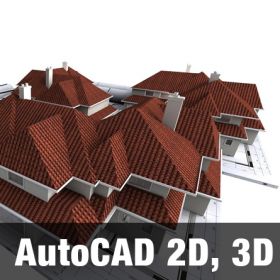
  1. Equip students with advanced technical skills in architectural design software such as AutoCAD, Google SketchUp, and Photoshop.
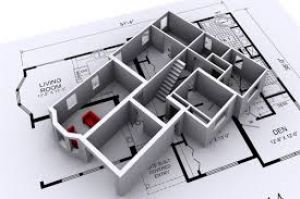
  2. Develop proficiency in creating 2D/3D designs, architectural layouts, and visualization tools used in modern architecture and interior design.
  3. Encourage creativity and innovation in the field of architectural design with the use of digital tools.
  4. Prepare learners for self-employment opportunities by providing real-world project exposure and portfolio development.
  5. Enhance career growth by bridging the gap between academic learning and practical applications in architectural design.

Course Overview:

This course is designed to provide hands-on training in architectural design and creative software. It focuses on the practical application of tools and techniques required in modern architectural projects. The course covers three core software tools: AutoCAD for technical drawings, Google SketchUp for 3D modeling, and Photoshop for rendering and presentation.

The curriculum is tailored to prepare students for self-employment, enabling them to start their own freelance architectural design businesses or seek employment in architecture and interior design firms. Learners will have the flexibility to modify the content based on their needs or specific regional requirements.

Course Teaching Methodology:

  • Project-Based Learning: The course will focus on practical projects that simulate real-life design tasks, ensuring that students develop hands-on experience with each software tool.
  • Workshops and Assignments: Interactive workshops and weekly assignments to test the student's skills and encourage creativity.
  • Case Studies: Students will study actual architectural projects to understand the use of design software in the professional field.
  • Peer Reviews: Collaborative exercises where students critique each other’s work, promoting teamwork and feedback-driven improvement.
  • Self-Paced Learning: Recorded video tutorials and resource materials for students to revise and practice at their own pace.
  • Guest Lectures: Industry experts and professionals will provide insights into career paths and opportunities in architectural design.

Importance for Career Growth and Self-Employment:

  1. Career Growth:

    • Mastering these essential software tools gives students a competitive edge in architecture, interior design, and civil engineering roles.
    • It opens doors for employment in architectural firms, real estate development companies, and design consultancies.
    • The course enhances employability, with the demand for skilled professionals well-versed in architectural design software continuously increasing.
  2. Self-Employment:

    • The skills acquired allow learners to start their own freelance design business, offering services in drafting, 3D modeling, and visual presentations.
    • With software expertise, students can cater to clients needing customized architectural designs for residential and commercial projects.

Syllabus Breakdown:

Month 1: Introduction to Architectural Design Concepts & AutoCAD Basics

  • Week 1-2:
    • Introduction to Architectural Design and Digital Tools
    • Introduction to AutoCAD – Interface, Commands, and Settings
    • Understanding Architectural Drafting and Drawing
  • Week 3-4:
    • Creating Basic 2D Drawings: Lines, Circles, Rectangles, and Layers
    • Dimensioning and Text Creation
    • Orthographic Projections and Simple Layouts

Month 2: Advanced AutoCAD Techniques

  • Week 5-6:
    • Working with Blocks, Groups, and Arrays
    • Advanced Editing: Trim, Extend, Offset, Fillet, Chamfer
    • Working with Layers, Line Types, and Hatching
  • Week 7-8:
    • Creating 3D Models in AutoCAD
    • Rendering Basics and 3D Walkthroughs
    • Setting up Sheets for Print/Plot and Exporting Projects

Month 3: Introduction to Google SketchUp

  • Week 9-10:
    • Introduction to Google SketchUp: Interface and Basics of 3D Modeling
    • Drawing and Modifying 3D Objects
    • Using Materials, Textures, and Components
  • Week 11-12:
    • Working with Scenes, Styles, and Shadow Settings
    • Creating and Editing Architectural Designs and Models
    • Exporting Projects for Presentation

Month 4: Advanced SketchUp Techniques

  • Week 13-14:
    • Creating Custom Materials and Textures
    • Applying Real-World Lighting and Shadows
    • Designing Detailed Interiors and Furniture Models
  • Week 15-16:
    • Importing and Exporting CAD Files into SketchUp
    • Rendering Techniques for High-Quality Visuals
    • Preparing Presentations with Layout Tool

Month 5: Introduction to Adobe Photoshop for Architectural Design

  • Week 17-18:
    • Introduction to Adobe Photoshop: Interface and Tools Overview
    • Working with Layers, Selections, and Basic Photo Editing
    • Creating Architectural Visualizations: Adding Backgrounds, Skies, and Textures
  • Week 19-20:
    • Applying Filters, Adjustments, and Effects to Enhance Rendered Images
    • Creating Architectural Collages and Conceptual Designs
    • Advanced Techniques for Presenting 3D Models in Photoshop

Month 6: Project-Based Learning & Portfolio Development

  • Week 21-22:
    • Working on Individual Capstone Projects
    • Integrating AutoCAD, SketchUp, and Photoshop for Final Project Presentation
  • Week 23-24:
    • Portfolio Creation and Presentation
    • Feedback and Review of Projects by Instructors and Peers
    • Final Assessment and Certification Preparation

Customization Based on Learner's Requirements:

  • The course contents and duration can be adapted according to the specific needs of students from different regions or backgrounds.
  • Additional workshops can be introduced based on learner interest, such as sustainable design or rural architectural projects.

Conclusion:

This Diploma in Architectural Design and Creative Software provides comprehensive, hands-on training to students, equipping them with the skills necessary for career growth and self-employment. By mastering AutoCAD, SketchUp, and Photoshop, students will be ready to step into the world of architectural design, either as freelancers or as professionals in leading firms.

Course Title:  Diploma in Architectural Design and Creative Softwares  (Skill Development)

Course Duration:  6 Months

Course Objectives:

  1. Equip students with advanced technical skills in architectural design software such as AutoCAD, Google SketchUp, and Photoshop.
  2. Develop proficiency in creating 2D/3D designs, architectural layouts, and visualization tools used in modern architecture and interior design.
  3. Encourage creativity and innovation in the field of architectural design with the use of digital tools.
  4. Prepare learners for self-employment opportunities by providing real-world project exposure and portfolio development.
  5. Enhance career growth by bridging the gap between academic learning and practical applications in architectural design.

Course Overview:

This course is designed to provide hands-on training in architectural design and creative software. It focuses on the practical application of tools and techniques required in modern architectural projects. The course covers three core software tools: AutoCAD for technical drawings, Google SketchUp for 3D modeling, and Photoshop for rendering and presentation.

The curriculum is tailored to prepare students for self-employment, enabling them to start their own freelance architectural design businesses or seek employment in architecture and interior design firms. Learners will have the flexibility to modify the content based on their needs or specific regional requirements.

Course Teaching Methodology:

  • Project-Based Learning: The course will focus on practical projects that simulate real-life design tasks, ensuring that students develop hands-on experience with each software tool.
  • Workshops and Assignments: Interactive workshops and weekly assignments to test the student's skills and encourage creativity.
  • Case Studies: Students will study actual architectural projects to understand the use of design software in the professional field.
  • Peer Reviews: Collaborative exercises where students critique each other’s work, promoting teamwork and feedback-driven improvement.
  • Self-Paced Learning: Recorded video tutorials and resource materials for students to revise and practice at their own pace.
  • Guest Lectures: Industry experts and professionals will provide insights into career paths and opportunities in architectural design.

Importance for Career Growth and Self-Employment:

  1. Career Growth:

    • Mastering these essential software tools gives students a competitive edge in architecture, interior design, and civil engineering roles.
    • It opens doors for employment in architectural firms, real estate development companies, and design consultancies.
    • The course enhances employability, with the demand for skilled professionals well-versed in architectural design software continuously increasing.
  2. Self-Employment:

    • The skills acquired allow learners to start their own freelance design business, offering services in drafting, 3D modeling, and visual presentations.
    • With software expertise, students can cater to clients needing customized architectural designs for residential and commercial projects.

Syllabus Breakdown:

Month 1: Introduction to Architectural Design Concepts & AutoCAD Basics

  • Week 1-2:
    • Introduction to Architectural Design and Digital Tools
    • Introduction to AutoCAD – Interface, Commands, and Settings
    • Understanding Architectural Drafting and Drawing
  • Week 3-4:
    • Creating Basic 2D Drawings: Lines, Circles, Rectangles, and Layers
    • Dimensioning and Text Creation
    • Orthographic Projections and Simple Layouts

Month 2: Advanced AutoCAD Techniques

  • Week 5-6:
    • Working with Blocks, Groups, and Arrays
    • Advanced Editing: Trim, Extend, Offset, Fillet, Chamfer
    • Working with Layers, Line Types, and Hatching
  • Week 7-8:
    • Creating 3D Models in AutoCAD
    • Rendering Basics and 3D Walkthroughs
    • Setting up Sheets for Print/Plot and Exporting Projects

Month 3: Introduction to Google SketchUp

  • Week 9-10:
    • Introduction to Google SketchUp: Interface and Basics of 3D Modeling
    • Drawing and Modifying 3D Objects
    • Using Materials, Textures, and Components
  • Week 11-12:
    • Working with Scenes, Styles, and Shadow Settings
    • Creating and Editing Architectural Designs and Models
    • Exporting Projects for Presentation

Month 4: Advanced SketchUp Techniques

  • Week 13-14:
    • Creating Custom Materials and Textures
    • Applying Real-World Lighting and Shadows
    • Designing Detailed Interiors and Furniture Models
  • Week 15-16:
    • Importing and Exporting CAD Files into SketchUp
    • Rendering Techniques for High-Quality Visuals
    • Preparing Presentations with Layout Tool

Month 5: Introduction to Adobe Photoshop for Architectural Design

  • Week 17-18:
    • Introduction to Adobe Photoshop: Interface and Tools Overview
    • Working with Layers, Selections, and Basic Photo Editing
    • Creating Architectural Visualizations: Adding Backgrounds, Skies, and Textures
  • Week 19-20:
    • Applying Filters, Adjustments, and Effects to Enhance Rendered Images
    • Creating Architectural Collages and Conceptual Designs
    • Advanced Techniques for Presenting 3D Models in Photoshop

Month 6: Project-Based Learning & Portfolio Development

  • Week 21-22:
    • Working on Individual Capstone Projects
    • Integrating AutoCAD, SketchUp, and Photoshop for Final Project Presentation
  • Week 23-24:
    • Portfolio Creation and Presentation
    • Feedback and Review of Projects by Instructors and Peers
    • Final Assessment and Certification Preparation

Customization Based on Learner's Requirements:

  • The course contents and duration can be adapted according to the specific needs of students from different regions or backgrounds.
  • Additional workshops can be introduced based on learner interest, such as sustainable design or rural architectural projects.

Conclusion:

This Diploma in Architectural Design and Creative Software provides comprehensive, hands-on training to students, equipping them with the skills necessary for career growth and self-employment. By mastering AutoCAD, SketchUp, and Photoshop, students will be ready to step into the world of architectural design, either as freelancers or as professionals in leading firms.

Read Full Syllabus

Eligibility

Below SSC


Important: AICPE is an autonomous private skill development and certification organisation. Acceptance or eligibility may vary depending on employer, institution, department or purpose.

AICPE Courses Grid

Browse AICPE skill development courses in an attractive grid format. Explore practical certificate courses for students, job seekers, women learners, working professionals and self-employment aspirants.

Job-Oriented | Practical | Skill-Based Courses

CERTIFICATE IN AUTOCAD

Duration: 2 MONTHS
Code: C1197

CERTIFICATE IN JAVA - CORE

Duration: 3 MONTHS
Code: C1180

CERTIFICATE IN CATIA V5

Duration: 1.5 MONTHS
Code: C1199

CERTIFICATE IN PHOTOSHOP

Duration: 2 MONTHS
Code: C1198

CERTIFICATE IN CAD

Duration: 3 MONTHS
Code: C1190

CERTIFICATE IN C++

Duration: 2 MONTHS
Code: C1012

DIPLOMA IN WEB DESIGNING

Duration: 9 MONTHS
Code: C1287

CERTIFICATE IN 3D S MAX

Duration: 3 MONTHS
Code: C1250

CERTIFICATE IN ROBOTICS

Duration: 3 MONTHS
Code: C1156

CERTIFICATE IN STATISTICS

Duration: 3 MONTHS
Code: C1160

CERTIFICATE IN HTML5

Duration: 1 MONTH
Code: C1273

CERTIFICATE IN BOOTSTRAP

Duration: 1 MONTH
Code: C1277

CERTIFICATE IN WIREMAN

Duration: 6 MONTHS
Code: C1242

DIPLOMA IN YOGA

Duration: 1 YEAR
Code: C1248

CERTIFICATE IN HTML

Duration: 3 MONTHS
Code: C1256

DIPLOMA IN ELECTRICIAN

Duration: 1 YEAR
Code: C1265

CERTIFICATE IN COREL DRAW

Duration: 2 MONTHS
Code: C1269

CERTIFICATE IN STAAD.PRO

Duration: 1 MONTH
Code: C1289

DIPLOMA IN PLUMBING

Duration: 1 YEAR
Code: C1290

DIPLOMA IN CYBER LAW

Duration: 6 MONTHS
Code: C1330

DIPLOMA IN TAILORING

Duration: 6 MONTHS
Code: C1305

CERTIFICATE IN SOLIDWORKS

Duration: 2 MONTHS
Code: C1307

CERTIFICATE IN ANGULAR

Duration: 2 MONTHS
Code: C1309

CERTIFICATE IN CARPENTER

Duration: 2 MONTHS
Code: C1329

CERTIFICATE IN CREO

Duration: 3 MONTHS
Code: C1312

CERTIFICATE IN PRO-E

Duration: 3 MONTHS
Code: C1313

DIPLOMA IN CARPENTER

Duration: 1 YEAR
Code: C1318

CERTIFICATE IN PYTHON

Duration: 2 MONTHS
Code: C1326

DIPLOMA IN GRAPHIC DESIGN

Duration: 6 MONTHS
Code: C1327

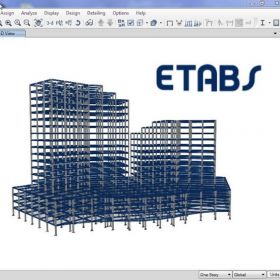
CERTIFICATE IN ETABS

Duration: 45 DAYS
Code: C1341

DIPLOMA IN STENOGRAPHY

Duration: 1 YEAR
Code: C1333

CERTIFICATE IN MS OFFICE

Duration: 2 MONTHS
Code: C1343

CERTIFICATE IN PRIMAVERA

Duration: 2 MONTHS
Code: C1359

CERTIFICATE IN C++

Duration: 20 DAYS
Code: C1366

CERTIFICATE IN AUTOCAD

Duration: 20 DAYS
Code: C1369

CERTIFICATE IN TAILORING

Duration: 1 MONTH
Code: C1378

CERTIFICATE IN SMART TALLY

Duration: 3 MONTHS
Code: C1386

CERTIFICATE IN SQL

Duration: 2 MONTHS
Code: C1379

CERTIFICATE IN AUTOCAD

Duration: 45 DAYS
Code: C1392

CERTIFICATE IN MS OFFICE

Duration: 3 MONTHS
Code: C1399

CERTIFICATE IN PLUMBER

Duration: 1 MONTH
Code: C1383

CERTIFICATE IN SKETCHUP

Duration: 3 MONTHS
Code: C1390

DIPLOMA IN TAILORING

Duration: 1 YEAR
Code: C1389

CERTIFICATE IN TALLY PRIME

Duration: 6 MONTHS
Code: C1409

CERTIFICATE IN SAP FINANCE

Duration: 5 MONTHS
Code: C1438

CERTIFICATE IN C AND C++

Duration: 3 MONTHS
Code: C1453

CERTIFICATE IN LUMION

Duration: 1 MONTH
Code: C1456

DIPLOMA IN YOGA

Duration: 6 MONTHS
Code: C1457

DIPLOMA IN DATA ANALYST

Duration: 1 YEAR
Code: C1481

CERTIFICATE IN CHATGPT

Duration: 1 MONTH
Code: C1465

CERTIFICATE IN V-RAY

Duration: 2 MONTHS
Code: C1466

CERTIFICATE IN PHP

Duration: 2 MONTHS
Code: C1467

CERTIFICATE IN MY SQL

Duration: 3 MONTHS
Code: C1498

DIPLOMA IN UI/UX DESIGN

Duration: 6 MONTHS
Code: C1491

CERTIFICATE IN 2D AUTOCAD

Duration: 2 MONTHS
Code: C1492

CERTIFICATE IN 3D AUTOCAD

Duration: 2 MONTHS
Code: C1493

CERTIFICATE IN MS OFFICE

Duration: 40 HOURS
Code: C1494

ADVANCE DIPLOMA IN PYTHON

Duration: 8 MONTHS
Code: C1501

CERTIFICATE IN C AND C++

Duration: 3 MONTHS
Code: C1505

Explore AICPE Skill Development Courses

AICPE offers practical skill development courses through authorised training centres across India. Students can explore job-oriented courses, self-employment courses, computer courses, accounting courses, digital marketing courses, typing courses, vocational courses and soft skills programs.

For Students

Learn practical skills after 10th, after 12th or during college to improve confidence and career direction.

For Job Seekers

Build office, accounts, digital, typing, computer and communication skills for better job-readiness.

For Institutes

Institutes can become AICPE authorised training centres and offer skill-based courses locally.


AICPE Growth Opportunity

Start, Grow and Strengthen Your Training Institute

Join AICPE as an Authorised Training Centre and offer practical skill development courses, certificate programs and self-employment focused learning opportunities in your local area.

For Institutes

Become an AICPE Authorised Training Centre and offer practical skill courses in your local market.

For Students

Learn job-oriented, vocational, computer, accounting, digital and self-employment skills through AICPE centres.

For Local Growth

AICPE supports skill education opportunities for cities, towns, taluka places and developing education markets.

AICPE franchise benefits include authorised training centre opportunity, skill development course franchise, computer institute franchise, vocational training centre franchise, job oriented courses, certificate verification, self employment courses, low investment education franchise and practical certificate courses for institutes across India.

Back to top