Course Title: Google Data Studio
Course Duration: 2 Months (Part-Time)
Course Objectives:
- To equip students with the essential skills required to utilize Google Data Studio effectively.
- To enable students to create dynamic and visually appealing reports and dashboards.
- To teach students how to integrate Google Forms, Google Sheets, and various add-ons with Google Data Studio.
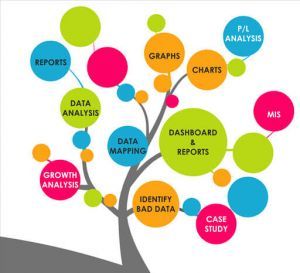
- To provide students with knowledge of data analytics, management, graphics, and filtering techniques.
- To empower students to leverage Google Data Studio for self-employment opportunities and career growth.
Course Overview:
This course will cover various aspects of Google Data Studio, starting from the basics and gradually progressing to advanced topics. Students will learn how to create and customize reports and dashboards, automate data processes, and perform data analysis using Google Data Studio. Practical exercises and real-world examples will be incorporated to ensure hands-on learning experience.
Course Teaching Methodology:
- Interactive Lectures: Engaging sessions led by experienced instructors to introduce theoretical concepts and practical applications.
- Hands-on Practice: Students will have the opportunity to apply concepts learned in lectures through guided exercises and projects.
- Case Studies: Analyzing real-world case studies to understand how Google Data Studio is utilized in different industries.
- Group Discussions: Encouraging peer-to-peer learning and collaboration through group discussions and problem-solving activities.
- Assignments: Assessing students' understanding through regular assignments and projects to reinforce learning.
Importance for Learner in Career Growth and Self-Employment:
- In today's data-driven world, proficiency in data visualization and analytics tools like Google Data Studio is highly sought after by employers across various industries.
- Mastery of Google Data Studio opens up opportunities for freelance work and self-employment, allowing individuals to offer data visualization and reporting services to businesses and clients.
- By acquiring skills in data management, analysis, and visualization, students can enhance their employability and advance their careers in roles such as data analyst, digital marketer, business intelligence professional, and more.
Course Contents:
Module 1: Introduction to Google Data Studio
- Overview of Google Data Studio
- Importance in modern data analysis
- Understanding the user interface
Module 2: Creating Dynamic Google Forms
- Designing customized forms for data collection
- Implementing form validation and branching logic
- Integrating Google Forms with other applications
Module 3: Utilizing Google Sheets for Data Management
- Basics of Google Sheets
- Data organization and manipulation techniques
- Importing data into Google Sheets from various sources
Module 4: System Automation with Google Forms and Sheets
- Automating repetitive tasks using Google Forms and Sheets
- Creating triggers and workflows for system automation
- Streamlining data collection and processing procedures
Module 5: Connecting Various Add-ons to Google Forms
- Exploring popular Google Forms add-ons
- Integrating third-party tools for enhanced functionality
- Optimizing workflows with add-on extensions
Module 6: Designing Interactive Dashboards
- Principles of dashboard design
- Building dynamic dashboards in Google Data Studio
- Customizing dashboard elements for user interaction
Module 7: Data Analytics Techniques
- Introduction to data analysis
- Performing basic and advanced analytics in Google Data Studio
- Extracting actionable insights from data
Module 8: Effective Data Management Strategies
- Best practices for data management
- Data hygiene and quality assurance measures
- Implementing data governance frameworks
Module 9: Data Visualization and Graphics
- Importance of data visualization
- Creating visually appealing charts and graphs in Google Data Studio
- Enhancing data storytelling through graphics
Module 10: Advanced Data Filtering Methods
- Utilizing advanced filtering techniques
- Implementing filters for data segmentation
- Creating dynamic filtering controls for user interaction
Note:
Each module will consist of theoretical lectures, hands-on exercises, and practical assignments to reinforce learning. The syllabus can be tailored to meet the specific needs and preferences of Indian students, ensuring relevance and applicability to their career aspirations.
Course Title: Google Data Studio
Course Duration: 2 Months (Part-Time)
Course Objectives:
- To equip students with the essential skills required to utilize Google Data Studio effectively.
- To enable students to create dynamic and visually appealing reports and dashboards.
- To teach students how to integrate Google Forms, Google Sheets, and various add-ons with Google Data Studio.
- To provide students with knowledge of data analytics, management, graphics, and filtering techniques.
- To empower students to leverage Google Data Studio for self-employment opportunities and career growth.
Course Overview:
This course will cover various aspects of Google Data Studio, starting from the basics and gradually progressing to advanced topics. Students will learn how to create and customize reports and dashboards, automate data processes, and perform data analysis using Google Data Studio. Practical exercises and real-world examples will be incorporated to ensure hands-on learning experience.
Course Teaching Methodology:
- Interactive Lectures: Engaging sessions led by experienced instructors to introduce theoretical concepts and practical applications.
- Hands-on Practice: Students will have the opportunity to apply concepts learned in lectures through guided exercises and projects.
- Case Studies: Analyzing real-world case studies to understand how Google Data Studio is utilized in different industries.
- Group Discussions: Encouraging peer-to-peer learning and collaboration through group discussions and problem-solving activities.
- Assignments: Assessing students' understanding through regular assignments and projects to reinforce learning.
Importance for Learner in Career Growth and Self-Employment:
- In today's data-driven world, proficiency in data visualization and analytics tools like Google Data Studio is highly sought after by employers across various industries.
- Mastery of Google Data Studio opens up opportunities for freelance work and self-employment, allowing individuals to offer data visualization and reporting services to businesses and clients.
- By acquiring skills in data management, analysis, and visualization, students can enhance their employability and advance their careers in roles such as data analyst, digital marketer, business intelligence professional, and more.
Course Contents:
Module 1: Introduction to Google Data Studio
- Overview of Google Data Studio
- Importance in modern data analysis
- Understanding the user interface
Module 2: Creating Dynamic Google Forms
- Designing customized forms for data collection
- Implementing form validation and branching logic
- Integrating Google Forms with other applications
Module 3: Utilizing Google Sheets for Data Management
- Basics of Google Sheets
- Data organization and manipulation techniques
- Importing data into Google Sheets from various sources
Module 4: System Automation with Google Forms and Sheets
- Automating repetitive tasks using Google Forms and Sheets
- Creating triggers and workflows for system automation
- Streamlining data collection and processing procedures
Module 5: Connecting Various Add-ons to Google Forms
- Exploring popular Google Forms add-ons
- Integrating third-party tools for enhanced functionality
- Optimizing workflows with add-on extensions
Module 6: Designing Interactive Dashboards
- Principles of dashboard design
- Building dynamic dashboards in Google Data Studio
- Customizing dashboard elements for user interaction
Module 7: Data Analytics Techniques
- Introduction to data analysis
- Performing basic and advanced analytics in Google Data Studio
- Extracting actionable insights from data
Module 8: Effective Data Management Strategies
- Best practices for data management
- Data hygiene and quality assurance measures
- Implementing data governance frameworks
Module 9: Data Visualization and Graphics
- Importance of data visualization
- Creating visually appealing charts and graphs in Google Data Studio
- Enhancing data storytelling through graphics
Module 10: Advanced Data Filtering Methods
- Utilizing advanced filtering techniques
- Implementing filters for data segmentation
- Creating dynamic filtering controls for user interaction
Note:
Each module will consist of theoretical lectures, hands-on exercises, and practical assignments to reinforce learning. The syllabus can be tailored to meet the specific needs and preferences of Indian students, ensuring relevance and applicability to their career aspirations.