Course Title: Computer Applications (Skill
Development)
Course Duration: 3 Months (part-time)
Course Objectives:
1.
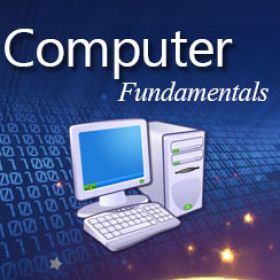
To provide a comprehensive understanding of
computer fundamentals and their practical applications.
2.
To develop proficiency in operating systems and
their functionalities.
3.
To acquire practical skills in using MS Office
applications for efficient document creation, data analysis, and presentation.
4.
To gain knowledge and hands-on experience in
graphic designing using industry-standard software.
5.
To develop proficiency in using Tally Prime for
accounting and financial management.
6.
To explore the potential of the internet and its
various applications for personal and professional growth.
7.
To empower students with essential computer skills
for self-employment and career growth.
Course Overview:
The Computer Applications course is designed to equip students with the
necessary knowledge and skills required for self-employment and career
advancement in today's digital era. The course will cover fundamental concepts
of computers, operating systems, popular software applications, graphic designing
tools, accounting software, and the effective use of the internet.
Course Teaching Methodology:
1.
Lectures: Engaging lectures will be conducted to
explain theoretical concepts and provide a foundation for practical
applications.
2.
Hands-on Practice: Students will be provided with
ample opportunities for hands-on practice to enhance their skills and reinforce
their learning.
3.
Practical Assignments: Regular assignments will be
given to students to apply their knowledge in real-world scenarios and foster
problem-solving abilities.
4.
Group Discussions: Interactive sessions will
encourage students to share their ideas, experiences, and challenges, fostering
collaborative learning.
5.
Project Work: Students will undertake practical
projects to apply their skills and gain practical experience in various aspects
of computer applications.
Importance for Learners in Career Growth and
Self-Employment:
1.
Increased employability: Proficiency in computer
applications is a prerequisite for most job opportunities in today's digital
age. The course will enhance students' employability by equipping them with
essential skills required in various industries.
2.
Self-employment opportunities: With the acquired
skills, students can establish their own ventures in graphic designing, data analysis,
accounting services, or utilize the internet for online businesses.
3.
Career advancement: Knowledge of computer
applications opens doors for career advancement by increasing productivity,
efficiency, and the ability to adapt to technological advancements.
Syllabus (subject to modification based on learner
or location requirements):
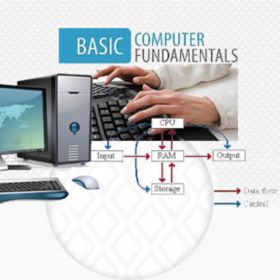
Computer Fundamentals:
·
Introduction to computers
·
Computer hardware and software
·
Operating systems and their functions
·
File management and organization
Operating System:
·
Introduction to operating systems
·
Windows OS fundamentals
·
File and folder management
·
Customizing the operating system
·
Troubleshooting common issues
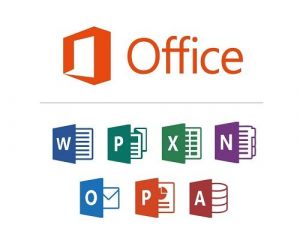
MS Office Applications:
·
Microsoft Word: Document creation and formatting,
mail merge
·
Microsoft Excel: Data entry and analysis, formulas
and functions, charts
·
Microsoft PowerPoint: Creating effective
presentations, slide design, animation
·
Microsoft Outlook: Email management, calendar and
task organization
Graphic Designing:
·
Introduction to graphic designing
·
Design principles and color theory
·
Adobe Photoshop: Image editing, manipulation, and
enhancement
·
Adobe Illustrator: Vector graphics creation and
illustration
·
Project work: Creating brochures, flyers, logos,
etc.
PageMaker:
·
Introduction to desktop publishing
·
PageMaker interface and tools
·
Creating layouts, brochures, newsletters, and
magazines
·
Working with text and images
·
Printing and exporting publications
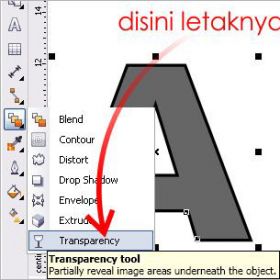
Corel Draw:
·
Introduction to Corel Draw
·
Vector graphics and illustration techniques
·
Working with shapes, lines, and colors
·
Creating logos, banners, and business cards
·
Exporting and printing designs
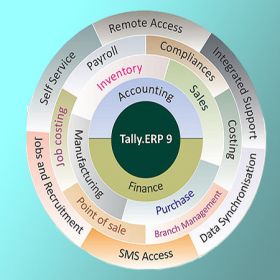
Tally Prime:
·
Introduction to accounting software
·
Tally Prime interface and navigation
·
Creating company profiles and ledgers
·
Managing inventory and generating reports
·
GST compliance and taxation features
Internet:
·
Introduction to the internet and its evolution
·
Web browsers and search engines
·
Email communication and etiquette
·
Online safety and security
·
Utilizing online resources for learning, research,
and business
Note: The syllabus can be customized or expanded based on the learner's
requirements and the availability of resources and time.
Please keep in mind that this syllabus is a suggestion, and you may
adapt it as needed to suit the specific needs and goals of your students or the
requirements of your location.
Course Title: Computer Applications (Skill
Development)
Course Duration: 3 Months (part-time)
Course Objectives:
1.
To provide a comprehensive understanding of
computer fundamentals and their practical applications.
2.
To develop proficiency in operating systems and
their functionalities.
3.
To acquire practical skills in using MS Office
applications for efficient document creation, data analysis, and presentation.
4.
To gain knowledge and hands-on experience in
graphic designing using industry-standard software.
5.
To develop proficiency in using Tally Prime for
accounting and financial management.
6.
To explore the potential of the internet and its
various applications for personal and professional growth.
7.
To empower students with essential computer skills
for self-employment and career growth.
Course Overview:
The Computer Applications course is designed to equip students with the
necessary knowledge and skills required for self-employment and career
advancement in today's digital era. The course will cover fundamental concepts
of computers, operating systems, popular software applications, graphic designing
tools, accounting software, and the effective use of the internet.
Course Teaching Methodology:
1.
Lectures: Engaging lectures will be conducted to
explain theoretical concepts and provide a foundation for practical
applications.
2.
Hands-on Practice: Students will be provided with
ample opportunities for hands-on practice to enhance their skills and reinforce
their learning.
3.
Practical Assignments: Regular assignments will be
given to students to apply their knowledge in real-world scenarios and foster
problem-solving abilities.
4.
Group Discussions: Interactive sessions will
encourage students to share their ideas, experiences, and challenges, fostering
collaborative learning.
5.
Project Work: Students will undertake practical
projects to apply their skills and gain practical experience in various aspects
of computer applications.
Importance for Learners in Career Growth and
Self-Employment:
1.
Increased employability: Proficiency in computer
applications is a prerequisite for most job opportunities in today's digital
age. The course will enhance students' employability by equipping them with
essential skills required in various industries.
2.
Self-employment opportunities: With the acquired
skills, students can establish their own ventures in graphic designing, data analysis,
accounting services, or utilize the internet for online businesses.
3.
Career advancement: Knowledge of computer
applications opens doors for career advancement by increasing productivity,
efficiency, and the ability to adapt to technological advancements.
Syllabus (subject to modification based on learner
or location requirements):
Computer Fundamentals:
·
Introduction to computers
·
Computer hardware and software
·
Operating systems and their functions
·
File management and organization
Operating System:
·
Introduction to operating systems
·
Windows OS fundamentals
·
File and folder management
·
Customizing the operating system
·
Troubleshooting common issues
MS Office Applications:
·
Microsoft Word: Document creation and formatting,
mail merge
·
Microsoft Excel: Data entry and analysis, formulas
and functions, charts
·
Microsoft PowerPoint: Creating effective
presentations, slide design, animation
·
Microsoft Outlook: Email management, calendar and
task organization
Graphic Designing:
·
Introduction to graphic designing
·
Design principles and color theory
·
Adobe Photoshop: Image editing, manipulation, and
enhancement
·
Adobe Illustrator: Vector graphics creation and
illustration
·
Project work: Creating brochures, flyers, logos,
etc.
PageMaker:
·
Introduction to desktop publishing
·
PageMaker interface and tools
·
Creating layouts, brochures, newsletters, and
magazines
·
Working with text and images
·
Printing and exporting publications
Corel Draw:
·
Introduction to Corel Draw
·
Vector graphics and illustration techniques
·
Working with shapes, lines, and colors
·
Creating logos, banners, and business cards
·
Exporting and printing designs
Tally Prime:
·
Introduction to accounting software
·
Tally Prime interface and navigation
·
Creating company profiles and ledgers
·
Managing inventory and generating reports
·
GST compliance and taxation features
Internet:
·
Introduction to the internet and its evolution
·
Web browsers and search engines
·
Email communication and etiquette
·
Online safety and security
·
Utilizing online resources for learning, research,
and business
Note: The syllabus can be customized or expanded based on the learner's
requirements and the availability of resources and time.
Please keep in mind that this syllabus is a suggestion, and you may
adapt it as needed to suit the specific needs and goals of your students or the
requirements of your location.