Course Title: Computer Applications (Skill
Development)
Course Duration: 6 months (Part-time)
Course Overview:
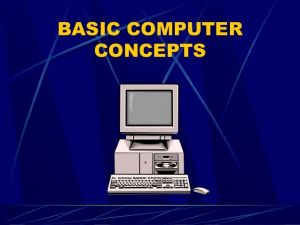
The course in Computer Applications aims to provide students with
essential skills and knowledge in computer usage and software applications. The
course is specifically designed to equip learners with the necessary tools to
pursue self-employment opportunities in the field of computer applications.
Throughout the course, students will gain proficiency in various software
programs and develop a solid understanding of computer fundamentals, hardware
and software installation, computer maintenance, and graphic designing.
Additionally, the course will introduce students to internet and email usage
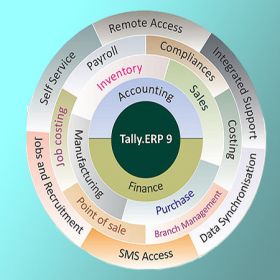
and provide an in-depth understanding of Tally Prime with GST, a widely used
accounting software.
Course Objectives:
1.
To provide students with a comprehensive
understanding of computer concepts and fundamentals.
2.
To develop proficiency in commonly used software
applications, including MS Office (Word, Excel, PowerPoint, Access) and Tally
Prime with GST.
3.
To equip students with the knowledge and skills
required for basic hardware and software installation.
4.
To develop an understanding of computer
maintenance, software drives, and formatting.
5.
To enhance students' graphic designing skills
through the use of software programs such as Paint, Notepad, WordPad,
PageMaker, Corel Draw, and Photoshop.
6.
To introduce students to internet usage and email
communication for personal and professional purposes.
7.
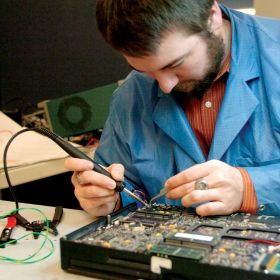
To provide practical knowledge of PC assembling for
troubleshooting and customization purposes.
Course Teaching Methodology:
1.
Lectures: In-class lectures will be conducted to
provide theoretical knowledge and conceptual understanding.
2.
Practical Sessions: Hands-on practical sessions
will be conducted to reinforce the concepts learned during lectures and develop
proficiency in software applications.
3.
Case Studies: Real-world case studies will be
presented to help students apply their knowledge and problem-solving skills.
4.
Group Discussions: Group discussions will encourage
collaborative learning and allow students to share their insights and
experiences.
5.
Assignments and Projects: Students will be assigned
practical assignments and projects to further enhance their skills and
knowledge in computer applications.
Importance for Learners in Career Growth and
Self-Employment:
1.
Increased Employability: Proficiency in computer
applications is highly sought after in today's job market, and this course will
significantly enhance learners' employability prospects.
2.
Entrepreneurship Opportunities: Acquiring skills in
computer applications opens up avenues for self-employment, enabling learners
to start their own ventures in areas such as graphic designing, software
consultancy, or accounting services.
3.
Skill Diversification: Adding computer application
skills to one's repertoire enhances career options, providing learners with a
competitive edge in various industries.
4.
Personal Growth: Understanding computer
applications empowers individuals to become digitally competent, facilitating
their personal and professional growth in the digital age.
Syllabus:
Module 1: Computer Fundamentals and Software Applications
·
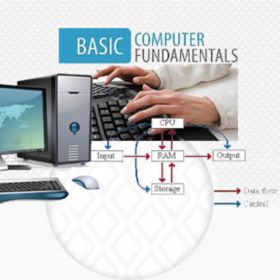
Computer Concept & Fundamentals
·
Paint
·
Notepad
·
Word Pad
·
MS-Office (MS-Word, MS-Excel, MS-PowerPoint,
MS-Access)
Module 2: Hardware and Software Installation
·
Basic Hardware & Software Installation
·
MS-DOS
·
Computer Maintenance
·
Software Drives Installation
·
Computer Formatting
·
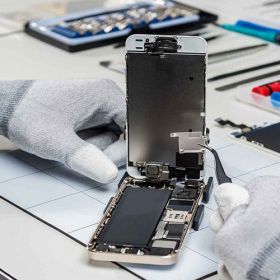
PC Assembling
Module 3: Graphic Designing
·
Introduction to Internet & Email
·
Graphic Designing Concepts
·
PageMaker
·
Corel Draw
·
Photoshop
Module 4: Accounting and Business Software
·
Introduction to Accounting Software
·
Tally Prime with GST
Note: The contents of the syllabus can be modified based on the specific
requirements of the learners or the location. The syllabus provided here is a
general outline tailored for Indian students.
Course Title: Computer Applications (Skill
Development)
Course Duration: 6 months (Part-time)
Course Overview:
The course in Computer Applications aims to provide students with
essential skills and knowledge in computer usage and software applications. The
course is specifically designed to equip learners with the necessary tools to
pursue self-employment opportunities in the field of computer applications.
Throughout the course, students will gain proficiency in various software
programs and develop a solid understanding of computer fundamentals, hardware
and software installation, computer maintenance, and graphic designing.
Additionally, the course will introduce students to internet and email usage
and provide an in-depth understanding of Tally Prime with GST, a widely used
accounting software.
Course Objectives:
1.
To provide students with a comprehensive
understanding of computer concepts and fundamentals.
2.
To develop proficiency in commonly used software
applications, including MS Office (Word, Excel, PowerPoint, Access) and Tally
Prime with GST.
3.
To equip students with the knowledge and skills
required for basic hardware and software installation.
4.
To develop an understanding of computer
maintenance, software drives, and formatting.
5.
To enhance students' graphic designing skills
through the use of software programs such as Paint, Notepad, WordPad,
PageMaker, Corel Draw, and Photoshop.
6.
To introduce students to internet usage and email
communication for personal and professional purposes.
7.
To provide practical knowledge of PC assembling for
troubleshooting and customization purposes.
Course Teaching Methodology:
1.
Lectures: In-class lectures will be conducted to
provide theoretical knowledge and conceptual understanding.
2.
Practical Sessions: Hands-on practical sessions
will be conducted to reinforce the concepts learned during lectures and develop
proficiency in software applications.
3.
Case Studies: Real-world case studies will be
presented to help students apply their knowledge and problem-solving skills.
4.
Group Discussions: Group discussions will encourage
collaborative learning and allow students to share their insights and
experiences.
5.
Assignments and Projects: Students will be assigned
practical assignments and projects to further enhance their skills and
knowledge in computer applications.
Importance for Learners in Career Growth and
Self-Employment:
1.
Increased Employability: Proficiency in computer
applications is highly sought after in today's job market, and this course will
significantly enhance learners' employability prospects.
2.
Entrepreneurship Opportunities: Acquiring skills in
computer applications opens up avenues for self-employment, enabling learners
to start their own ventures in areas such as graphic designing, software
consultancy, or accounting services.
3.
Skill Diversification: Adding computer application
skills to one's repertoire enhances career options, providing learners with a
competitive edge in various industries.
4.
Personal Growth: Understanding computer
applications empowers individuals to become digitally competent, facilitating
their personal and professional growth in the digital age.
Syllabus:
Module 1: Computer Fundamentals and Software Applications
·
Computer Concept & Fundamentals
·
Paint
·
Notepad
·
Word Pad
·
MS-Office (MS-Word, MS-Excel, MS-PowerPoint,
MS-Access)
Module 2: Hardware and Software Installation
·
Basic Hardware & Software Installation
·
MS-DOS
·
Computer Maintenance
·
Software Drives Installation
·
Computer Formatting
·
PC Assembling
Module 3: Graphic Designing
·
Introduction to Internet & Email
·
Graphic Designing Concepts
·
PageMaker
·
Corel Draw
·
Photoshop
Module 4: Accounting and Business Software
·
Introduction to Accounting Software
·
Tally Prime with GST
Note: The contents of the syllabus can be modified based on the specific
requirements of the learners or the location. The syllabus provided here is a
general outline tailored for Indian students.