Course Title:
Computer
Applications (Skill Development)
Course
Duration: 6 months (Part-time)
Course
Overview:
The
Computer Applications course is designed to equip students with the necessary
skills to excel in today's digital age. The course focuses on fundamental
computer concepts, MS Office applications, graphic design software, internet
usage, and accounting principles using Tally Prime. The objective of this
course is to provide students with practical knowledge and hands-on experience
in computer applications, enabling them to pursue self-employment
opportunities. The course is tailored to meet the requirements of Indian
students and can be modified to suit individual needs or specific locations.
Course
Objectives:
1. Understand the fundamental
concepts and functions of computers and software.
2. Develop proficiency in using MS
Office applications for various tasks.
3. Acquire practical skills in
graphic design using popular software tools.
4. Explore the internet and its
applications for effective information retrieval and communication.
5. Gain a comprehensive
understanding of accounting principles and practices using Tally Prime.
6. Enhance self-employment prospects
by acquiring marketable computer application skills.
Course
Teaching Methodology:
The
course will employ a combination of theoretical lectures, practical exercises,
hands-on projects, and interactive discussions. Students will be encouraged to
actively participate in class activities and collaborate with peers. Practical
assignments and real-world scenarios will be used to reinforce the concepts
taught. The teaching methodology aims to provide students with a holistic
learning experience and ensure the application of acquired skills.
Importance
for Learner in Career Growth and Self-Employment:
1. Increased employability: Computer
application skills are highly sought after in today's job market. Proficiency
in MS Office, graphic design, and accounting software enhances job prospects in
various sectors.
2. Entrepreneurial opportunities:
Self-employment options expand with the ability to offer computer-related
services such as document creation, graphic design, or accounting assistance.
3. Career advancement: Competence in
computer applications can lead to career growth within organizations by
demonstrating versatility and efficiency in handling digital tasks.
4. Flexibility and remote work: With
computer application skills, learners can explore freelancing and remote work
options, offering flexibility and independence in their professional lives.
Syllabus:
Module 1:
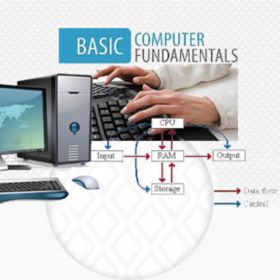
Computer - Concept & Fundamentals
·
Understanding
computer hardware and software components
·
Introduction
to Paint, Notepad, and WordPad
·
Basics of
computer operation and troubleshooting
Module 2:
MS Office Applications
·
MS Word:
Document creation, formatting, templates, and mail merge
·
MS Excel:
Spreadsheet creation, formulas, charts, and data analysis
·
MS
PowerPoint: Creating presentations with multimedia elements
Module 3:
Graphic Applications
·
Photoshop:
Image editing, retouching, and manipulation
·
Premier:
Video editing and production techniques
·
InDesign:
Layout design for print and digital media
·
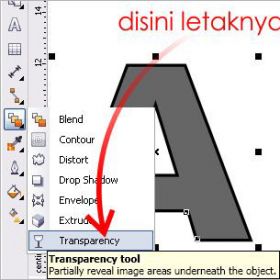
Corel
Draw: Vector-based graphic design and illustration
Module 4:
Internet & Its Applications
·
Introduction
to the internet and its evolution
·
Understanding
web applications and their significance
·
Web
search techniques, live videos, downloading, and uploading files
·
Web forms
and their practical applications
·
Effective
email usage and management
·
Introduction
to Google Applications for productivity and collaboration
Module 5:
Tally Prime
·
Basics of
accounting principles and concepts
·
Ledger
entries and maintenance
·
Financial
reporting and analysis
·
Introduction
to taxation concepts and compliance using Tally Prime
Note: The
syllabus can be customized based on the learner's requirements or specific
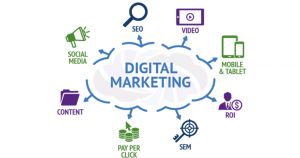
regional needs. Additional topics, such as digital marketing, website
development, or advanced accounting, can be included as per the learner's
interests and career goals.
Please
note that the syllabus provided is a general guideline and can be adapted or
expanded upon based on the specific needs and requirements of the learners and
the available resources.
Course Title:
Computer
Applications (Skill Development)
Course
Duration: 6 months (Part-time)
Course
Overview:
The
Computer Applications course is designed to equip students with the necessary
skills to excel in today's digital age. The course focuses on fundamental
computer concepts, MS Office applications, graphic design software, internet
usage, and accounting principles using Tally Prime. The objective of this
course is to provide students with practical knowledge and hands-on experience
in computer applications, enabling them to pursue self-employment
opportunities. The course is tailored to meet the requirements of Indian
students and can be modified to suit individual needs or specific locations.
Course
Objectives:
1. Understand the fundamental
concepts and functions of computers and software.
2. Develop proficiency in using MS
Office applications for various tasks.
3. Acquire practical skills in
graphic design using popular software tools.
4. Explore the internet and its
applications for effective information retrieval and communication.
5. Gain a comprehensive
understanding of accounting principles and practices using Tally Prime.
6. Enhance self-employment prospects
by acquiring marketable computer application skills.
Course
Teaching Methodology:
The
course will employ a combination of theoretical lectures, practical exercises,
hands-on projects, and interactive discussions. Students will be encouraged to
actively participate in class activities and collaborate with peers. Practical
assignments and real-world scenarios will be used to reinforce the concepts
taught. The teaching methodology aims to provide students with a holistic
learning experience and ensure the application of acquired skills.
Importance
for Learner in Career Growth and Self-Employment:
1. Increased employability: Computer
application skills are highly sought after in today's job market. Proficiency
in MS Office, graphic design, and accounting software enhances job prospects in
various sectors.
2. Entrepreneurial opportunities:
Self-employment options expand with the ability to offer computer-related
services such as document creation, graphic design, or accounting assistance.
3. Career advancement: Competence in
computer applications can lead to career growth within organizations by
demonstrating versatility and efficiency in handling digital tasks.
4. Flexibility and remote work: With
computer application skills, learners can explore freelancing and remote work
options, offering flexibility and independence in their professional lives.
Syllabus:
Module 1:
Computer - Concept & Fundamentals
·
Understanding
computer hardware and software components
·
Introduction
to Paint, Notepad, and WordPad
·
Basics of
computer operation and troubleshooting
Module 2:
MS Office Applications
·
MS Word:
Document creation, formatting, templates, and mail merge
·
MS Excel:
Spreadsheet creation, formulas, charts, and data analysis
·
MS
PowerPoint: Creating presentations with multimedia elements
Module 3:
Graphic Applications
·
Photoshop:
Image editing, retouching, and manipulation
·
Premier:
Video editing and production techniques
·
InDesign:
Layout design for print and digital media
·
Corel
Draw: Vector-based graphic design and illustration
Module 4:
Internet & Its Applications
·
Introduction
to the internet and its evolution
·
Understanding
web applications and their significance
·
Web
search techniques, live videos, downloading, and uploading files
·
Web forms
and their practical applications
·
Effective
email usage and management
·
Introduction
to Google Applications for productivity and collaboration
Module 5:
Tally Prime
·
Basics of
accounting principles and concepts
·
Ledger
entries and maintenance
·
Financial
reporting and analysis
·
Introduction
to taxation concepts and compliance using Tally Prime
Note: The
syllabus can be customized based on the learner's requirements or specific
regional needs. Additional topics, such as digital marketing, website
development, or advanced accounting, can be included as per the learner's
interests and career goals.
Please
note that the syllabus provided is a general guideline and can be adapted or
expanded upon based on the specific needs and requirements of the learners and
the available resources.