Course Title: AutoCAD (Skill Development Course)
Duration: 20 Days (Part-Time)
Course Objectives:
- Provide students with essential AutoCAD skills for 2D drafting and design.
- Teach students how to create and edit technical drawings.
- Familiarize students with industry-standard CAD practices.
- Prepare students for self-employment opportunities and career growth in the CAD industry.
- Highlight the importance of AutoCAD skills in India's engineering and design sectors.
Course Overview:
This 20-day part-time AutoCAD Skill Development Course aims to equip Indian students with fundamental skills in Computer-Aided Design (CAD) using AutoCAD software. The curriculum covers AutoCAD basics, 2D drawing techniques, editing, and presentation. The course can be adapted to accommodate learners with varying levels of prior knowledge and can be customized to meet specific learner or location requirements.
Course Teaching Methodology:
- Classroom Instruction: Theory and hands-on training in AutoCAD.
- Practical Workshops: Students will practice creating and editing technical drawings.
- Demonstrations: Instructors will demonstrate AutoCAD techniques.
- Group Projects: Collaborative CAD projects and real-world problem-solving exercises.
- Individualized Guidance: Instructors will provide one-on-one guidance to address specific learner needs.
Importance for Learner in Career Growth and Self-Employment:
- Graduates of this course will be well-prepared for careers as CAD drafters, designers, or consultants.
- It provides a strong foundation for self-employment opportunities as students can offer CAD design services.
- Offers potential for career growth in India's engineering, architecture, and manufacturing industries.
Course Contents:
Module 1: Introduction to CAD Industry
- Overview of Computer-Aided Design (CAD)
- Importance of CAD in engineering and design
Module 2: Annotations & Dimensions
- Adding text and annotations to drawings
- Dimensioning techniques in AutoCAD
Module 3: Layers
- Understanding layers in AutoCAD
- Organizing and managing drawing layers
Module 4: Drawings
- Creating new drawings in AutoCAD
- Opening and saving drawings
Module 5: Drawing Settings
- Setting up drawing units and limits
- Adjusting drawing settings for precision
Module 6: Orthographic Drawings
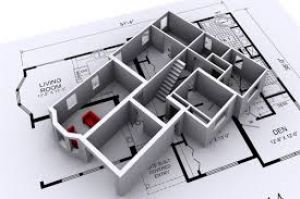
- Creating 2D orthographic projections
- Exploring orthographic drawing techniques
Module 7: Isometric Drawings
- Introduction to isometric drawing
- Creating 2D isometric views
Module 8: Perspective Drawings
- Basics of creating 3D perspective drawings
- Adding depth and realism to drawings
Module 9: Editing the Drawings
- Editing and modifying objects in AutoCAD
- Using various editing tools
Module 10: Selection Methods
- Selecting objects in drawings
- Mastering selection techniques
Module 11: Presenting the Project
- Preparing and presenting CAD projects
- Exporting drawings for various purposes
Module 12: Layout Management
- Creating and managing layout tabs
- Controlling multiple views and sheets
Module 13: Scale Setting
- Setting drawing scale for precision
- Scaling objects and annotations
Module 14: Plotting
- Configuring and printing drawings
- Preparing drawings for plotting and printing
Module 15: Import & Export
- Importing and exporting files in AutoCAD
- Compatibility with other CAD software
Note: The course content can be adjusted to meet specific learner requirements or regional variations.
Upon successful completion of this AutoCAD Skill Development Course, students will have the knowledge and practical skills necessary for a fulfilling career in CAD drafting, design, or consultancy. This course offers a strong foundation for individuals seeking opportunities in India's dynamic engineering, architecture, and manufacturing sectors.
Course Title: AutoCAD (Skill Development Course)
Duration: 20 Days (Part-Time)
Course Objectives:
- Provide students with essential AutoCAD skills for 2D drafting and design.
- Teach students how to create and edit technical drawings.
- Familiarize students with industry-standard CAD practices.
- Prepare students for self-employment opportunities and career growth in the CAD industry.
- Highlight the importance of AutoCAD skills in India's engineering and design sectors.
Course Overview:
This 20-day part-time AutoCAD Skill Development Course aims to equip Indian students with fundamental skills in Computer-Aided Design (CAD) using AutoCAD software. The curriculum covers AutoCAD basics, 2D drawing techniques, editing, and presentation. The course can be adapted to accommodate learners with varying levels of prior knowledge and can be customized to meet specific learner or location requirements.
Course Teaching Methodology:
- Classroom Instruction: Theory and hands-on training in AutoCAD.
- Practical Workshops: Students will practice creating and editing technical drawings.
- Demonstrations: Instructors will demonstrate AutoCAD techniques.
- Group Projects: Collaborative CAD projects and real-world problem-solving exercises.
- Individualized Guidance: Instructors will provide one-on-one guidance to address specific learner needs.
Importance for Learner in Career Growth and Self-Employment:
- Graduates of this course will be well-prepared for careers as CAD drafters, designers, or consultants.
- It provides a strong foundation for self-employment opportunities as students can offer CAD design services.
- Offers potential for career growth in India's engineering, architecture, and manufacturing industries.
Course Contents:
Module 1: Introduction to CAD Industry
- Overview of Computer-Aided Design (CAD)
- Importance of CAD in engineering and design
Module 2: Annotations & Dimensions
- Adding text and annotations to drawings
- Dimensioning techniques in AutoCAD
Module 3: Layers
- Understanding layers in AutoCAD
- Organizing and managing drawing layers
Module 4: Drawings
- Creating new drawings in AutoCAD
- Opening and saving drawings
Module 5: Drawing Settings
- Setting up drawing units and limits
- Adjusting drawing settings for precision
Module 6: Orthographic Drawings
- Creating 2D orthographic projections
- Exploring orthographic drawing techniques
Module 7: Isometric Drawings
- Introduction to isometric drawing
- Creating 2D isometric views
Module 8: Perspective Drawings
- Basics of creating 3D perspective drawings
- Adding depth and realism to drawings
Module 9: Editing the Drawings
- Editing and modifying objects in AutoCAD
- Using various editing tools
Module 10: Selection Methods
- Selecting objects in drawings
- Mastering selection techniques
Module 11: Presenting the Project
- Preparing and presenting CAD projects
- Exporting drawings for various purposes
Module 12: Layout Management
- Creating and managing layout tabs
- Controlling multiple views and sheets
Module 13: Scale Setting
- Setting drawing scale for precision
- Scaling objects and annotations
Module 14: Plotting
- Configuring and printing drawings
- Preparing drawings for plotting and printing
Module 15: Import & Export
- Importing and exporting files in AutoCAD
- Compatibility with other CAD software
Note: The course content can be adjusted to meet specific learner requirements or regional variations.
Upon successful completion of this AutoCAD Skill Development Course, students will have the knowledge and practical skills necessary for a fulfilling career in CAD drafting, design, or consultancy. This course offers a strong foundation for individuals seeking opportunities in India's dynamic engineering, architecture, and manufacturing sectors.