










































































































































































































































AICPE India provides skill development courses, AICPE franchise opportunities, authorised training centre support, certificate verification, computer courses, vocational courses, accounting courses, digital marketing courses, typing courses, job-oriented courses and self-employment courses across India.

AICPE India offers skill development courses, AICPE franchise, authorised training centre registration, certificate verification, computer institute franchise, vocational training centre franchise and career-oriented courses across India.

CERTIFICATE IN PC TECHNICIAN

AICPE skill-based course designed for practical learning, career development, job-readiness and self-employment opportunities.

Duration: 45 DAYS Course Code: C1487 Skill Development Course AICPE Certification Support
CERTIFICATE IN PC TECHNICIAN

Course Highlights

  • Practical skill-based learning
  • Useful for career growth
  • Suitable for students and job seekers
  • Helpful for self-employment awareness
  • Certificate verification support where records are available

Course Syllabus

Course Title: PC Technician ( Skill Development Course )

Course Duration: 45 Days

Course Objectives:

  • To equip students with practical skills required to become proficient PC technicians.
  • To provide knowledge of hardware and software troubleshooting, system optimization, and essential networking.
  • To prepare students for self-employment or career advancement in the IT support field.
  • To enhance students’ problem-solving abilities and empower them to provide IT solutions in various settings.

Course Overview:

This 45-day part-time course is designed for individuals aiming to develop skills as a PC Technician. The course covers fundamental and advanced topics such as DOS commands, Windows installation, system optimization, hardware troubleshooting, and essential software tools like Google Sheets, Docs, and Slides. This course is ideal for those seeking to start their own IT support business or pursue career opportunities in the field of computer maintenance and support.

Teaching Methodology:

  • Hands-On Practical Sessions: Emphasis on real-world applications and hands-on training.
  • Lectures and Demonstrations: In-depth explanations and demonstrations of technical concepts.
  • Interactive Workshops: Opportunities to engage with peers and instructors for collaborative learning.
  • Case Studies: Analysis of real-life scenarios to develop problem-solving skills.
  • Self-paced Learning: Assignments and tasks to be completed outside of class hours.
  • Assessments: Regular quizzes, practical exams, and project work to evaluate understanding and skill development.

Importance for Learners in Career Growth and Self-Employment:

  • Career Advancement: The course provides essential skills that enhance employability in IT support and related fields.
  • Self-Employment: Equips learners with the knowledge needed to start their own PC repair and maintenance business.
  • Competitive Edge: Develops a comprehensive skill set that is in high demand in today's technology-driven world.
  • Adaptability: Knowledge gained from this course can be adapted to various IT roles and environments, ensuring versatility in career options.

Syllabus Outline:

Week 1-2: Introduction to PC Technician Skills

  1. Introduction to DOS Commands
    • Basic DOS commands for file management and system navigation.
  2. Mouse Settings
    • Configuring and troubleshooting mouse settings.
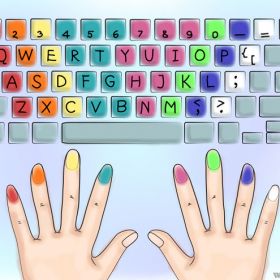
  3. Keyboard and Keyboard Shortcuts
    • Customizing keyboard settings and mastering essential shortcuts.
  4. PC Speed Up Techniques
    • Techniques for optimizing PC performance.

Week 3-4: System Setup and Configuration

  1. Windows Installation
    • Step-by-step guide to installing Windows OS.
  2. Creating Bootable Media
    • How to create bootable USB drives and installation media.
  3. Setting Up Outlook
    • Configuration and troubleshooting of Microsoft Outlook.
  4. Internet Session
    • Basics of internet setup, browsing, and security.
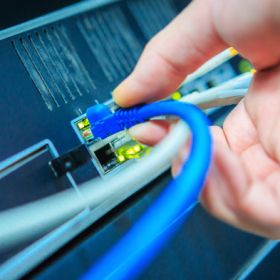
  5. Local Network Configuration
    • Setting up and managing local area networks.

Week 5-6: System Optimization and Security

  1. Desktop Right-Click Options
    • Customizing desktop settings and context menus.
  2. Power Options Configuration
    • Managing power settings for performance and energy efficiency.
  3. Printer Setup and Options
    • Installing, configuring, and troubleshooting printers.
  4. Advanced Boot Options
    • Accessing and using advanced boot options for troubleshooting.
  5. Creating New Accounts and Setting Passwords
    • User management and security settings.

Week 7-8: Advanced Configuration and Troubleshooting

  1. Partitioning and Managing Local Disks
    • Dividing and managing hard drive partitions.
  2. Security Options Per User
    • Setting up user-specific security options.
  3. Disabling Auto Startup Applications
    • Managing startup programs to improve system boot time.
  4. Locking Drives
    • Techniques to secure and restrict access to drives.

Week 9-10: Software Installation and Tools

  1. Installing and Updating Drivers
    • How to install, update, and troubleshoot system drivers.
  2. Google Sheets, Docs, and Slides
    • Introduction to Google’s productivity tools and their applications in business.

Assessment and Evaluation:

  • Weekly Quizzes: To reinforce learning and ensure comprehension.
  • Practical Assignments: Tasks that simulate real-world problems and solutions.
  • Final Project: A comprehensive project that includes PC setup, network configuration, and software installation.

Customization Options:

The course content can be adjusted based on the specific needs of learners or regional requirements. The instructor will be available for one-on-one consultation to discuss any modifications that may better suit individual learning goals or local market demands.

Conclusion:

Upon successful completion of this course, students will have gained the technical know-how and confidence to pursue a career as a PC technician or start their own IT support business, thus ensuring both personal and professional growth.


Course Title: PC Technician ( Skill Development Course )

Course Duration: 45 Days

Course Objectives:

  • To equip students with practical skills required to become proficient PC technicians.
  • To provide knowledge of hardware and software troubleshooting, system optimization, and essential networking.
  • To prepare students for self-employment or career advancement in the IT support field.
  • To enhance students’ problem-solving abilities and empower them to provide IT solutions in various settings.

Course Overview:

This 45-day part-time course is designed for individuals aiming to develop skills as a PC Technician. The course covers fundamental and advanced topics such as DOS commands, Windows installation, system optimization, hardware troubleshooting, and essential software tools like Google Sheets, Docs, and Slides. This course is ideal for those seeking to start their own IT support business or pursue career opportunities in the field of computer maintenance and support.

Teaching Methodology:

  • Hands-On Practical Sessions: Emphasis on real-world applications and hands-on training.
  • Lectures and Demonstrations: In-depth explanations and demonstrations of technical concepts.
  • Interactive Workshops: Opportunities to engage with peers and instructors for collaborative learning.
  • Case Studies: Analysis of real-life scenarios to develop problem-solving skills.
  • Self-paced Learning: Assignments and tasks to be completed outside of class hours.
  • Assessments: Regular quizzes, practical exams, and project work to evaluate understanding and skill development.

Importance for Learners in Career Growth and Self-Employment:

  • Career Advancement: The course provides essential skills that enhance employability in IT support and related fields.
  • Self-Employment: Equips learners with the knowledge needed to start their own PC repair and maintenance business.
  • Competitive Edge: Develops a comprehensive skill set that is in high demand in today's technology-driven world.
  • Adaptability: Knowledge gained from this course can be adapted to various IT roles and environments, ensuring versatility in career options.

Syllabus Outline:

Week 1-2: Introduction to PC Technician Skills

  1. Introduction to DOS Commands
    • Basic DOS commands for file management and system navigation.
  2. Mouse Settings
    • Configuring and troubleshooting mouse settings.
  3. Keyboard and Keyboard Shortcuts
    • Customizing keyboard settings and mastering essential shortcuts.
  4. PC Speed Up Techniques
    • Techniques for optimizing PC performance.

Week 3-4: System Setup and Configuration

  1. Windows Installation
    • Step-by-step guide to installing Windows OS.
  2. Creating Bootable Media
    • How to create bootable USB drives and installation media.
  3. Setting Up Outlook
    • Configuration and troubleshooting of Microsoft Outlook.
  4. Internet Session
    • Basics of internet setup, browsing, and security.
  5. Local Network Configuration
    • Setting up and managing local area networks.

Week 5-6: System Optimization and Security

  1. Desktop Right-Click Options
    • Customizing desktop settings and context menus.
  2. Power Options Configuration
    • Managing power settings for performance and energy efficiency.
  3. Printer Setup and Options
    • Installing, configuring, and troubleshooting printers.
  4. Advanced Boot Options
    • Accessing and using advanced boot options for troubleshooting.
  5. Creating New Accounts and Setting Passwords
    • User management and security settings.

Week 7-8: Advanced Configuration and Troubleshooting

  1. Partitioning and Managing Local Disks
    • Dividing and managing hard drive partitions.
  2. Security Options Per User
    • Setting up user-specific security options.
  3. Disabling Auto Startup Applications
    • Managing startup programs to improve system boot time.
  4. Locking Drives
    • Techniques to secure and restrict access to drives.

Week 9-10: Software Installation and Tools

  1. Installing and Updating Drivers
    • How to install, update, and troubleshoot system drivers.
  2. Google Sheets, Docs, and Slides
    • Introduction to Google’s productivity tools and their applications in business.

Assessment and Evaluation:

  • Weekly Quizzes: To reinforce learning and ensure comprehension.
  • Practical Assignments: Tasks that simulate real-world problems and solutions.
  • Final Project: A comprehensive project that includes PC setup, network configuration, and software installation.

Customization Options:

The course content can be adjusted based on the specific needs of learners or regional requirements. The instructor will be available for one-on-one consultation to discuss any modifications that may better suit individual learning goals or local market demands.

Conclusion:

Upon successful completion of this course, students will have gained the technical know-how and confidence to pursue a career as a PC technician or start their own IT support business, thus ensuring both personal and professional growth.


Read Full Syllabus

Eligibility

Below SSC


Important: AICPE is an autonomous private skill development and certification organisation. Acceptance or eligibility may vary depending on employer, institution, department or purpose.

AICPE Courses Grid

Browse AICPE skill development courses in an attractive grid format. Explore practical certificate courses for students, job seekers, women learners, working professionals and self-employment aspirants.

Job-Oriented | Practical | Skill-Based Courses

CERTIFICATE IN AUTOCAD

Duration: 2 MONTHS
Code: C1197

CERTIFICATE IN JAVA - CORE

Duration: 3 MONTHS
Code: C1180

CERTIFICATE IN CATIA V5

Duration: 1.5 MONTHS
Code: C1199

CERTIFICATE IN PHOTOSHOP

Duration: 2 MONTHS
Code: C1198

CERTIFICATE IN CAD

Duration: 3 MONTHS
Code: C1190

CERTIFICATE IN C++

Duration: 2 MONTHS
Code: C1012

DIPLOMA IN WEB DESIGNING

Duration: 9 MONTHS
Code: C1287

CERTIFICATE IN 3D S MAX

Duration: 3 MONTHS
Code: C1250

CERTIFICATE IN ROBOTICS

Duration: 3 MONTHS
Code: C1156

CERTIFICATE IN STATISTICS

Duration: 3 MONTHS
Code: C1160

CERTIFICATE IN HTML5

Duration: 1 MONTH
Code: C1273

CERTIFICATE IN BOOTSTRAP

Duration: 1 MONTH
Code: C1277

CERTIFICATE IN WIREMAN

Duration: 6 MONTHS
Code: C1242

DIPLOMA IN YOGA

Duration: 1 YEAR
Code: C1248

CERTIFICATE IN HTML

Duration: 3 MONTHS
Code: C1256

DIPLOMA IN ELECTRICIAN

Duration: 1 YEAR
Code: C1265

CERTIFICATE IN COREL DRAW

Duration: 2 MONTHS
Code: C1269

CERTIFICATE IN STAAD.PRO

Duration: 1 MONTH
Code: C1289

DIPLOMA IN PLUMBING

Duration: 1 YEAR
Code: C1290

DIPLOMA IN CYBER LAW

Duration: 6 MONTHS
Code: C1330

DIPLOMA IN TAILORING

Duration: 6 MONTHS
Code: C1305

CERTIFICATE IN SOLIDWORKS

Duration: 2 MONTHS
Code: C1307

CERTIFICATE IN ANGULAR

Duration: 2 MONTHS
Code: C1309

CERTIFICATE IN CARPENTER

Duration: 2 MONTHS
Code: C1329

CERTIFICATE IN CREO

Duration: 3 MONTHS
Code: C1312

CERTIFICATE IN PRO-E

Duration: 3 MONTHS
Code: C1313

DIPLOMA IN CARPENTER

Duration: 1 YEAR
Code: C1318

CERTIFICATE IN PYTHON

Duration: 2 MONTHS
Code: C1326

DIPLOMA IN GRAPHIC DESIGN

Duration: 6 MONTHS
Code: C1327

CERTIFICATE IN ETABS

Duration: 45 DAYS
Code: C1341

DIPLOMA IN STENOGRAPHY

Duration: 1 YEAR
Code: C1333

CERTIFICATE IN MS OFFICE

Duration: 2 MONTHS
Code: C1343

CERTIFICATE IN PRIMAVERA

Duration: 2 MONTHS
Code: C1359

CERTIFICATE IN C++

Duration: 20 DAYS
Code: C1366

CERTIFICATE IN AUTOCAD

Duration: 20 DAYS
Code: C1369

CERTIFICATE IN TAILORING

Duration: 1 MONTH
Code: C1378

CERTIFICATE IN SMART TALLY

Duration: 3 MONTHS
Code: C1386

CERTIFICATE IN SQL

Duration: 2 MONTHS
Code: C1379

CERTIFICATE IN AUTOCAD

Duration: 45 DAYS
Code: C1392

CERTIFICATE IN MS OFFICE

Duration: 3 MONTHS
Code: C1399

CERTIFICATE IN PLUMBER

Duration: 1 MONTH
Code: C1383

CERTIFICATE IN SKETCHUP

Duration: 3 MONTHS
Code: C1390

DIPLOMA IN TAILORING

Duration: 1 YEAR
Code: C1389

CERTIFICATE IN TALLY PRIME

Duration: 6 MONTHS
Code: C1409

CERTIFICATE IN SAP FINANCE

Duration: 5 MONTHS
Code: C1438

CERTIFICATE IN C AND C++

Duration: 3 MONTHS
Code: C1453

CERTIFICATE IN LUMION

Duration: 1 MONTH
Code: C1456

DIPLOMA IN YOGA

Duration: 6 MONTHS
Code: C1457

DIPLOMA IN DATA ANALYST

Duration: 1 YEAR
Code: C1481

CERTIFICATE IN CHATGPT

Duration: 1 MONTH
Code: C1465

CERTIFICATE IN V-RAY

Duration: 2 MONTHS
Code: C1466

CERTIFICATE IN PHP

Duration: 2 MONTHS
Code: C1467

CERTIFICATE IN MY SQL

Duration: 3 MONTHS
Code: C1498

DIPLOMA IN UI/UX DESIGN

Duration: 6 MONTHS
Code: C1491

CERTIFICATE IN 2D AUTOCAD

Duration: 2 MONTHS
Code: C1492

CERTIFICATE IN 3D AUTOCAD

Duration: 2 MONTHS
Code: C1493

CERTIFICATE IN MS OFFICE

Duration: 40 HOURS
Code: C1494

ADVANCE DIPLOMA IN PYTHON

Duration: 8 MONTHS
Code: C1501

CERTIFICATE IN C AND C++

Duration: 3 MONTHS
Code: C1505

Explore AICPE Skill Development Courses

AICPE offers practical skill development courses through authorised training centres across India. Students can explore job-oriented courses, self-employment courses, computer courses, accounting courses, digital marketing courses, typing courses, vocational courses and soft skills programs.

For Students

Learn practical skills after 10th, after 12th or during college to improve confidence and career direction.

For Job Seekers

Build office, accounts, digital, typing, computer and communication skills for better job-readiness.

For Institutes

Institutes can become AICPE authorised training centres and offer skill-based courses locally.


AICPE Growth Opportunity

Start, Grow and Strengthen Your Training Institute

Join AICPE as an Authorised Training Centre and offer practical skill development courses, certificate programs and self-employment focused learning opportunities in your local area.

For Institutes

Become an AICPE Authorised Training Centre and offer practical skill courses in your local market.

For Students

Learn job-oriented, vocational, computer, accounting, digital and self-employment skills through AICPE centres.

For Local Growth

AICPE supports skill education opportunities for cities, towns, taluka places and developing education markets.

AICPE franchise benefits include authorised training centre opportunity, skill development course franchise, computer institute franchise, vocational training centre franchise, job oriented courses, certificate verification, self employment courses, low investment education franchise and practical certificate courses for institutes across India.

Back to top