Course Title: Professional Web Designing
( Skill Development )
Course Duration: 3 Months (Part-Time)
Course Objective:
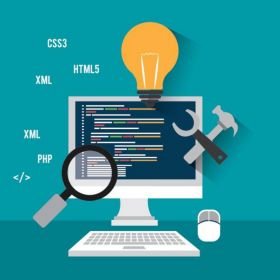
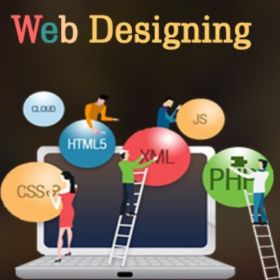
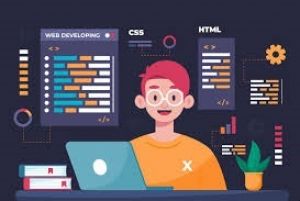
The course aims to provide students with comprehensive knowledge and practical skills in professional web designing. Students will learn web technologies, design principles, and tools like Adobe Photoshop, Adobe Dreamweaver, HTML5, CSS3, JavaScript, jQuery, and more. The course is designed to empower students for self-employment or career growth in web design, development, and related fields. The syllabus can be tailored to meet the specific needs of Indian students or location-based requirements.
Course Overview:
Module 1: Introduction to Web Technologies
- Careers in Web Technologies and Job Roles
- How Websites Work?
- Client and Server Scripting Languages
- Domains and Hosting
- Responsive Web Designing
- Types of Websites (Static and Dynamic)
- Web Standards and W3C Recommendations
Module 2: Adobe Photoshop
- Introduction to Stock Photography
- Types of Image Graphics
- Interface Tour of Photoshop
- Color Modes
- Resolution and Presets
- Working with Various Photoshop Tools
- Layers, Groups, and Smart Objects
- Blending Options and Filters
- Client Requirement Analysis
- Real-time Website Layout Design
- Practical Tasks in Layout Design
Module 3: HTML 4.01 and XHTML 1.1
- Markup Language Basics
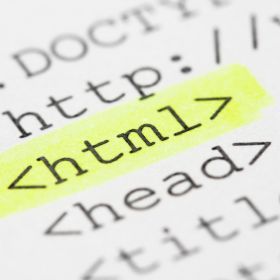
- Structure of HTML
- Head Section and Elements
- Meta Tags, CSS Tags, and Script Tag
- Forms and Form Attributes
- Anchor Links and Named Anchors
- Working with Images, Objects, and Iframes
- HTML Validators
Module 4: Adobe Dreamweaver
- Introduction to Adobe Dreamweaver
- Defining a Dreamweaver Site
- Interface and Common Tools
- Layout and Forms Design
- Working with Templates
- Creating Subpages and Site Navigation
- Real-time Implementation
Module 5: CSS 2.1
- Introduction to Cascading Style Sheets
- CSS Selectors and Properties
- CSS Box Model
- CSS Menu Design
- Conversion of Table to CSS Layout
- Practical Implementation
Module 6: HTML5
- Introduction to HTML5
- New Structure Tags
- New Media Tags (Audio and Video)
- HTML5 Forms and Attributes
- CSS3 Features
- Rounded Corners, Shadows, Gradients
- Text Effects and Transformations
- CSS3 Animation Effects
- Practical Use of HTML5 and CSS3
Module 7: Responsive Web Design with Bootstrap
- Introduction to Responsive Design
- Mobile-First Design Concepts
- CSS Media Queries
- Bootstrap Installation and Usage
- Building Responsive Layouts
- Integrating CSS3 for Responsive Design
Module 8: JavaScript
- Introduction to Client-Side Scripting
- JavaScript Basics
- Variables, Operators, and Conditions
- Loops, Arrays, and Objects
- JavaScript Events
- Form Validation
- Practical JavaScript Applications
Module 9: jQuery and jQuery UI
- Introduction to jQuery
- Selectors, Actions, and Plugins
- jQuery UI Features and Integration
- Building Interactive Web Elements
- jQuery Slideshow, Dropdown, Tooltips, and More
Module 10: Adobe Flash
- Introduction to Animation
- Adobe Flash Tools and Animation Techniques
- Creating Flash Banners, Intros, and Websites
- Basics of Action Scripting
Module 11: Web Hosting
- Web Hosting Basics and Types
- Registering Domains and Name Servers
- Using Control Panel (CPanel)
- Creating Emails and FTP Accounts
- Maintaining a Website
Course Teaching Methodology:
- Lectures, practical demonstrations, and hands-on exercises.
- Real-world projects to apply acquired skills.
- Regular quizzes and assignments for reinforcement.
- Access to necessary software and development environments.
- Course materials and resources provided.
Importance for Learners in Career Growth and Self-Employment:
This comprehensive course equips learners with the skills and knowledge required for a successful career in web designing and development. Graduates of this course can pursue various job roles in the web industry or opt for self-employment as professional web designers and developers. The practical focus ensures that students can immediately apply what they've learned to real-world projects.
Note: The course contents are adaptable and can be expanded or modified based on the specific needs of Indian students and location-specific requirements to ensure the most relevant education.
Course Title: Professional Web Designing
( Skill Development )
Course Duration: 3 Months (Part-Time)
Course Objective:
The course aims to provide students with comprehensive knowledge and practical skills in professional web designing. Students will learn web technologies, design principles, and tools like Adobe Photoshop, Adobe Dreamweaver, HTML5, CSS3, JavaScript, jQuery, and more. The course is designed to empower students for self-employment or career growth in web design, development, and related fields. The syllabus can be tailored to meet the specific needs of Indian students or location-based requirements.
Course Overview:
Module 1: Introduction to Web Technologies
- Careers in Web Technologies and Job Roles
- How Websites Work?
- Client and Server Scripting Languages
- Domains and Hosting
- Responsive Web Designing
- Types of Websites (Static and Dynamic)
- Web Standards and W3C Recommendations
Module 2: Adobe Photoshop
- Introduction to Stock Photography
- Types of Image Graphics
- Interface Tour of Photoshop
- Color Modes
- Resolution and Presets
- Working with Various Photoshop Tools
- Layers, Groups, and Smart Objects
- Blending Options and Filters
- Client Requirement Analysis
- Real-time Website Layout Design
- Practical Tasks in Layout Design
Module 3: HTML 4.01 and XHTML 1.1
- Markup Language Basics
- Structure of HTML
- Head Section and Elements
- Meta Tags, CSS Tags, and Script Tag
- Forms and Form Attributes
- Anchor Links and Named Anchors
- Working with Images, Objects, and Iframes
- HTML Validators
Module 4: Adobe Dreamweaver
- Introduction to Adobe Dreamweaver
- Defining a Dreamweaver Site
- Interface and Common Tools
- Layout and Forms Design
- Working with Templates
- Creating Subpages and Site Navigation
- Real-time Implementation
Module 5: CSS 2.1
- Introduction to Cascading Style Sheets
- CSS Selectors and Properties
- CSS Box Model
- CSS Menu Design
- Conversion of Table to CSS Layout
- Practical Implementation
Module 6: HTML5
- Introduction to HTML5
- New Structure Tags
- New Media Tags (Audio and Video)
- HTML5 Forms and Attributes
- CSS3 Features
- Rounded Corners, Shadows, Gradients
- Text Effects and Transformations
- CSS3 Animation Effects
- Practical Use of HTML5 and CSS3
Module 7: Responsive Web Design with Bootstrap
- Introduction to Responsive Design
- Mobile-First Design Concepts
- CSS Media Queries
- Bootstrap Installation and Usage
- Building Responsive Layouts
- Integrating CSS3 for Responsive Design
Module 8: JavaScript
- Introduction to Client-Side Scripting
- JavaScript Basics
- Variables, Operators, and Conditions
- Loops, Arrays, and Objects
- JavaScript Events
- Form Validation
- Practical JavaScript Applications
Module 9: jQuery and jQuery UI
- Introduction to jQuery
- Selectors, Actions, and Plugins
- jQuery UI Features and Integration
- Building Interactive Web Elements
- jQuery Slideshow, Dropdown, Tooltips, and More
Module 10: Adobe Flash
- Introduction to Animation
- Adobe Flash Tools and Animation Techniques
- Creating Flash Banners, Intros, and Websites
- Basics of Action Scripting
Module 11: Web Hosting
- Web Hosting Basics and Types
- Registering Domains and Name Servers
- Using Control Panel (CPanel)
- Creating Emails and FTP Accounts
- Maintaining a Website
Course Teaching Methodology:
- Lectures, practical demonstrations, and hands-on exercises.
- Real-world projects to apply acquired skills.
- Regular quizzes and assignments for reinforcement.
- Access to necessary software and development environments.
- Course materials and resources provided.
Importance for Learners in Career Growth and Self-Employment:
This comprehensive course equips learners with the skills and knowledge required for a successful career in web designing and development. Graduates of this course can pursue various job roles in the web industry or opt for self-employment as professional web designers and developers. The practical focus ensures that students can immediately apply what they've learned to real-world projects.
Note: The course contents are adaptable and can be expanded or modified based on the specific needs of Indian students and location-specific requirements to ensure the most relevant education.